Burning Down the House!
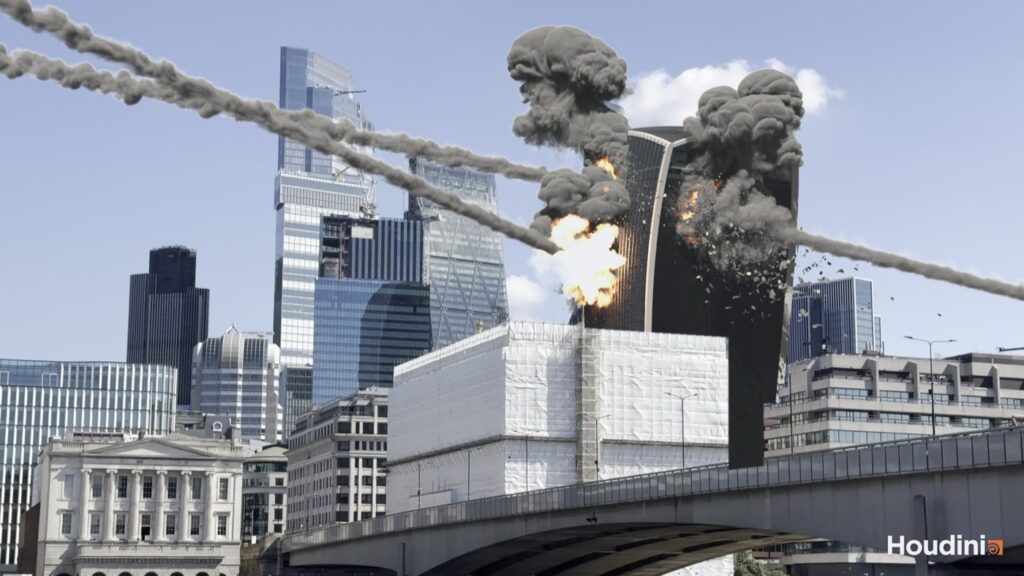
Last time, in Great Balls of Fire!, the asteroids got their fiery heads and smoke trails, and I signed off by saying next up really was the fire. This time I mean it! All three holes now explode, with a deep orange fireball and soot rolling through it, then fire burning on in the broken floors and a thick charcoal plume rising up out of frame. Along the way the falling debris and the rocks learnt to push the dust around, the rocks swapped names, the flipbooks got a speed check (with a dead end thrown in for good measure), and I got my very first proper render back out of Karma. Here it is:
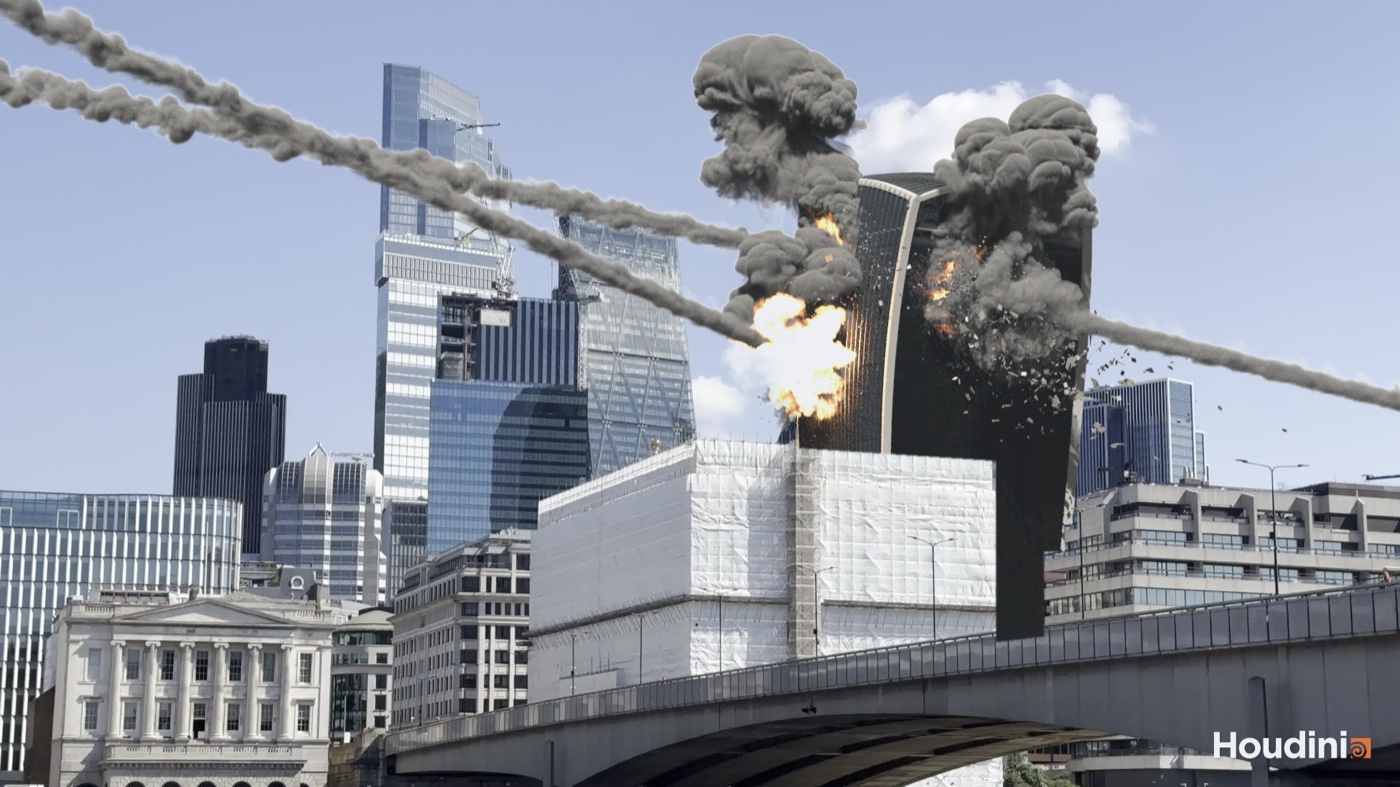
And here’s the video of the latest flipbook. It’s still OpenGL shading rather than a render, so don’t mind how dark the undersides of the smoke go (more on that further down).
One quick heads up before I get going. In the earlier posts the rock that hits first (frame 36, the one that goes right through) was B, and the second one was A. That never sat right with me, so from today they’re the other way round and A goes first. There’s more on why that was a bigger job than it sounds further down.
Two volumes, old school
I wanted the impacts to read as explosions, not just holes punched in a building. I set it up the way I used to with FumeFX in Max, with two volumes. One is the fire, which carries the light, and the other is a bigger smoke volume that the fire feeds and that spans it. My reference was footage of a fireball punching out of a tower, with fire burning on along the floors afterwards. So the plan was a fireball out of each of the three holes (Rock A’s entry and exit, and Rock B’s entry), then the broken floors burning on, with dense, charcoal, cauliflowering smoke. We’d test on one hole first, then go wide.
Everything lives in one network with its controls on a single node, split into tabs again: Holes, Fireball, Burn, Fire Sim and Smoke Sim. The emitters are points scattered on the building’s shell around each hole, tagged with which hole they belong to and how far they are from its centre, and only the ones on the outside face get kept. That filter is there for a reason. The collision volume can’t tell inside from outside, so without it the fires were burning away inside the building where nobody could see them.
Every frame a wrangle writes two sources for each hole. The fireball grows from 2 m to 12 m over 7 frames and gets blown back out of an entry hole, or onward out of the exit. The burning starts 4 frames after the hit, with flames on the emitter points weighted to sit low in each storey (on the floor slabs), plus some flicker and the odd flare up.
Then there are the two sims, as in my old FumeFX setups. The fire is on a fine grid with short lived flames, and it carries the light. The smoke is on a coarser grid, lives a lot longer and gets born a few metres above the flames, so the fire stays visible at its base. Both collide with the building, and both get cached for display as sparse VDBs, with the velocity dropped and anything too thin to see culled, as per the rule from last time: if we can’t see it, we kill it!
Where’s the fire?
The first test, on Rock A’s entry hole, came back with a nice plume of smoke and no fire at all.
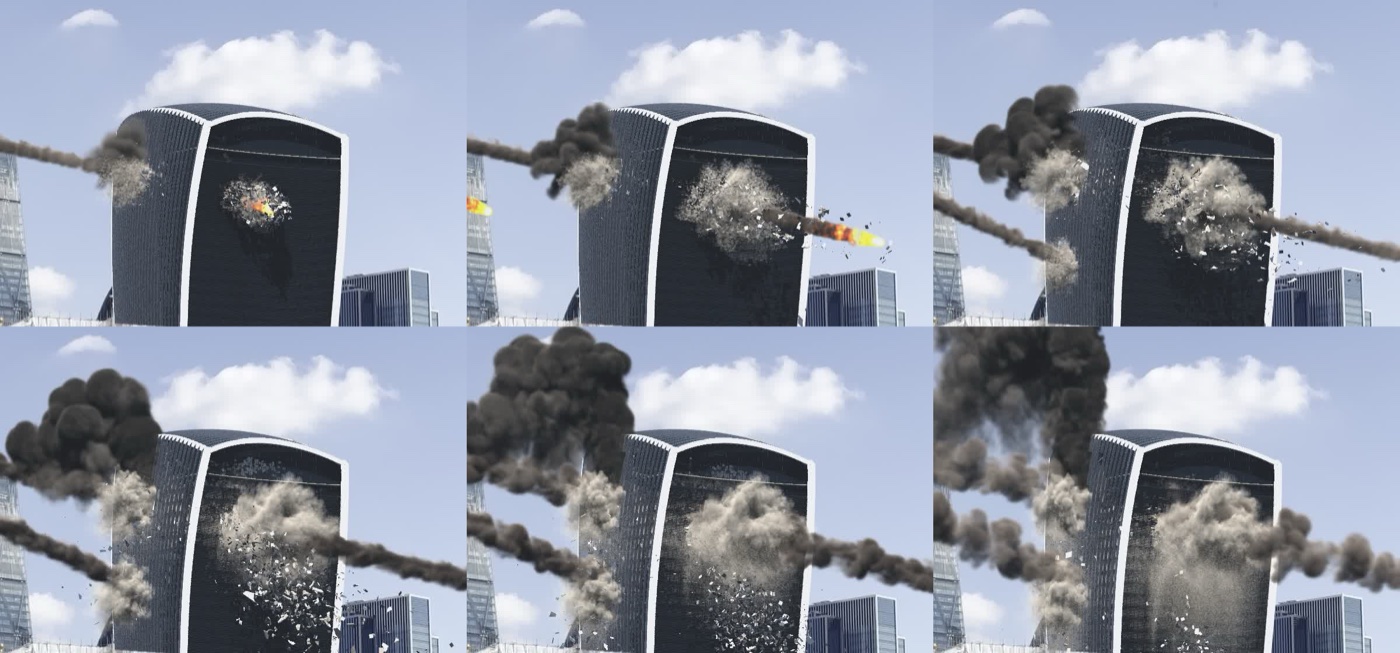
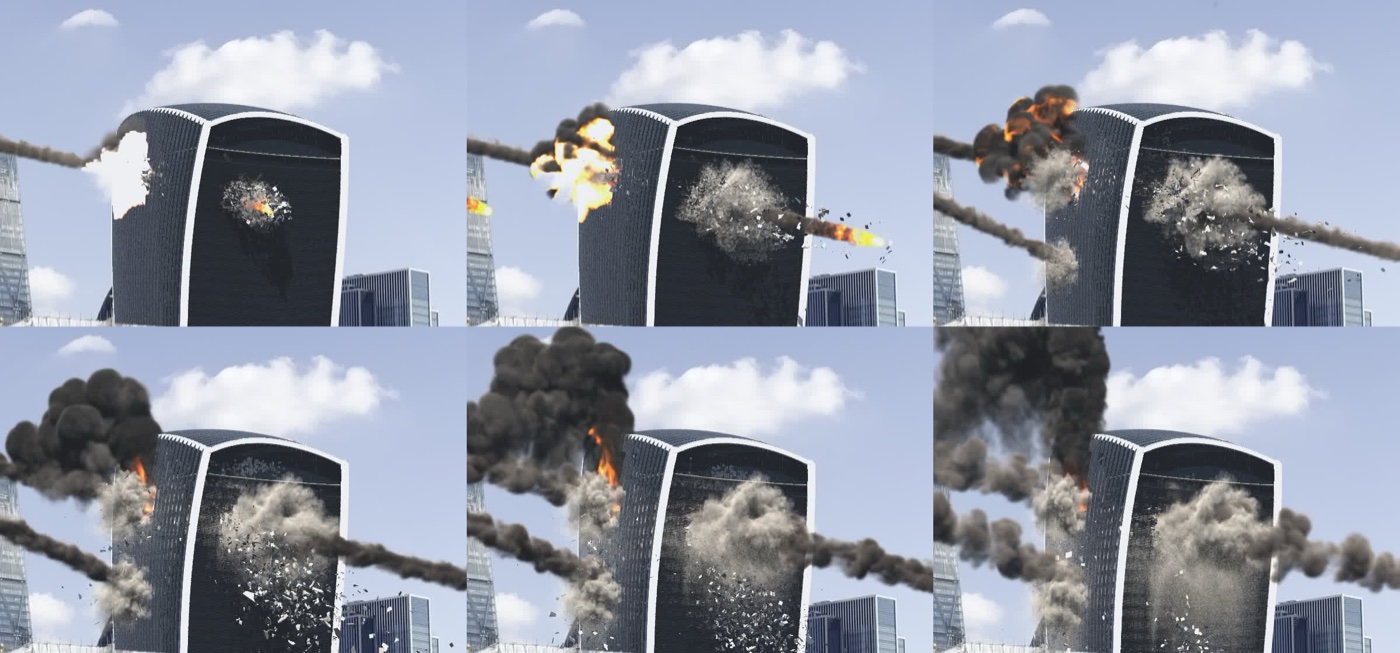
A fire only render showed good flames licking up the face, so the smoke wasn’t hiding them. The real cause was in the viewport display. The fire and smoke were merged into one object, and each carries its display settings as a detail attribute. In a merge the first input’s detail attribute wins, so the fire was being drawn with the smoke’s settings, which meant no glow at all. Giving the fire its own object sorted it.
Turning it up
With the fire back, the first sims ran in under a minute, so there was plenty of room to go finer. It’s meant to be a pretty violent explosion, and the first pass was far too gentle. So:
- The fire voxels went from 0.3 m to 0.15 m, and the smoke from 0.6 m to 0.3 m.
- Turbulence went up from 3 to 5 on the fire and from 1.5 to 3 on the smoke, with smaller swirls and more noise levels.
- Shredding got switched on in the smoke.
- Substeps went from 2 to 3 on the fire and from 1 to 2 on the smoke.
- The burning got twice the sources (16,000, up from 8,000), hotter and spread wider around the hole.
The plume edges went from smooth puffs to torn, rolling billows.
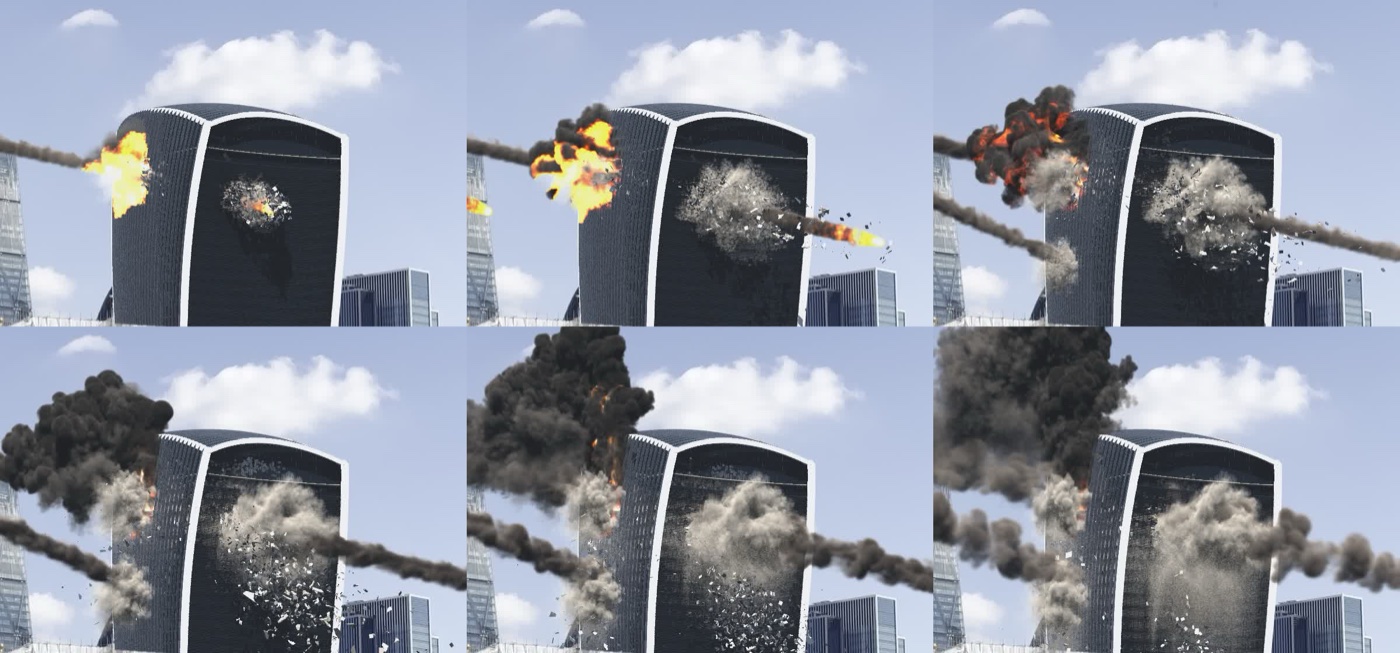
Then all three holes went on. The exit hole on the camera side reads best, because its burning floors face us.
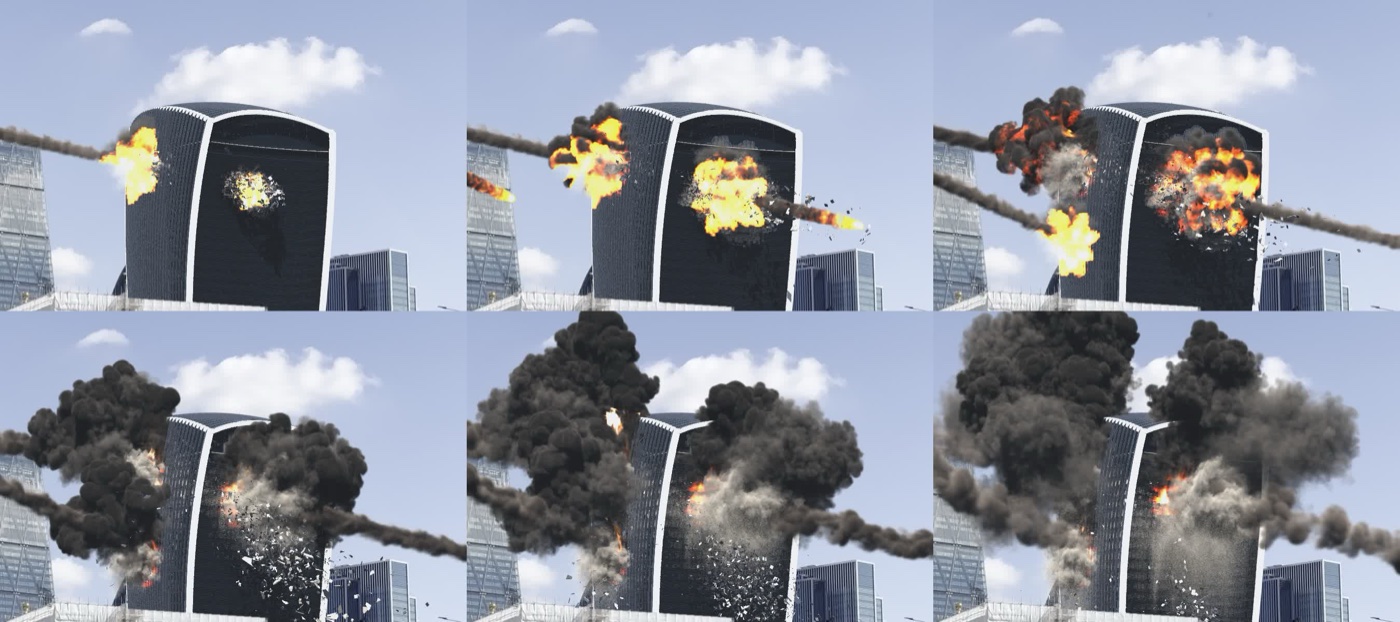
Clipping strikes again
I found a colour reference I liked, a fireball that’s mostly deep orange, with yellow only in small cores, no white at all, and dark soot rolling through it from the start. Ours was a flat yellow white blob, and two things were wrong.
The first was too much glow. The colour ramp was fine, it was the brightness that wasn’t. Deep orange stacked up through a 12 m thick fireball clipped the red channel, then the green, and came out yellow. Sound familiar? It’s the same thing that gave the asteroid heads their white streak last time. Turning the glow down from 4 to 0.8 let the orange through.
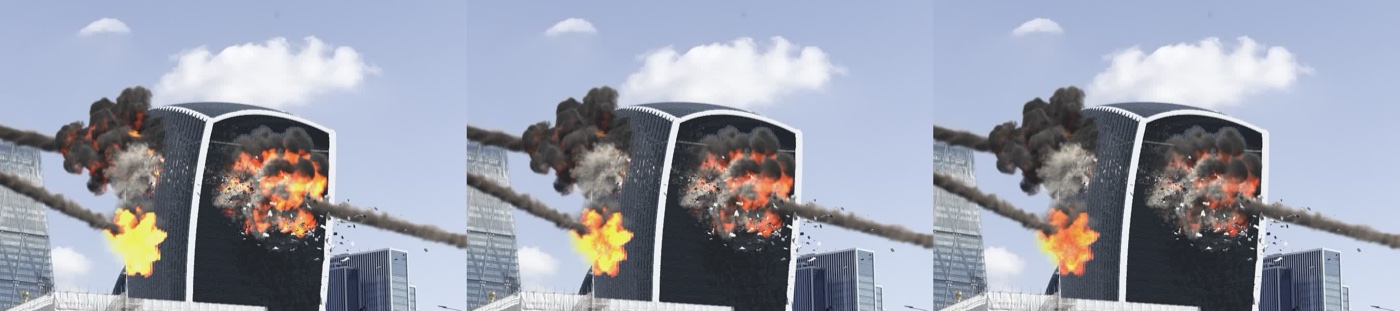
The second was no soot. The fireball is now built with two scales of noise through it, and the coolest pockets are made almost cold, so they show up as dark lumps of soot inside the fire right from the first frame.
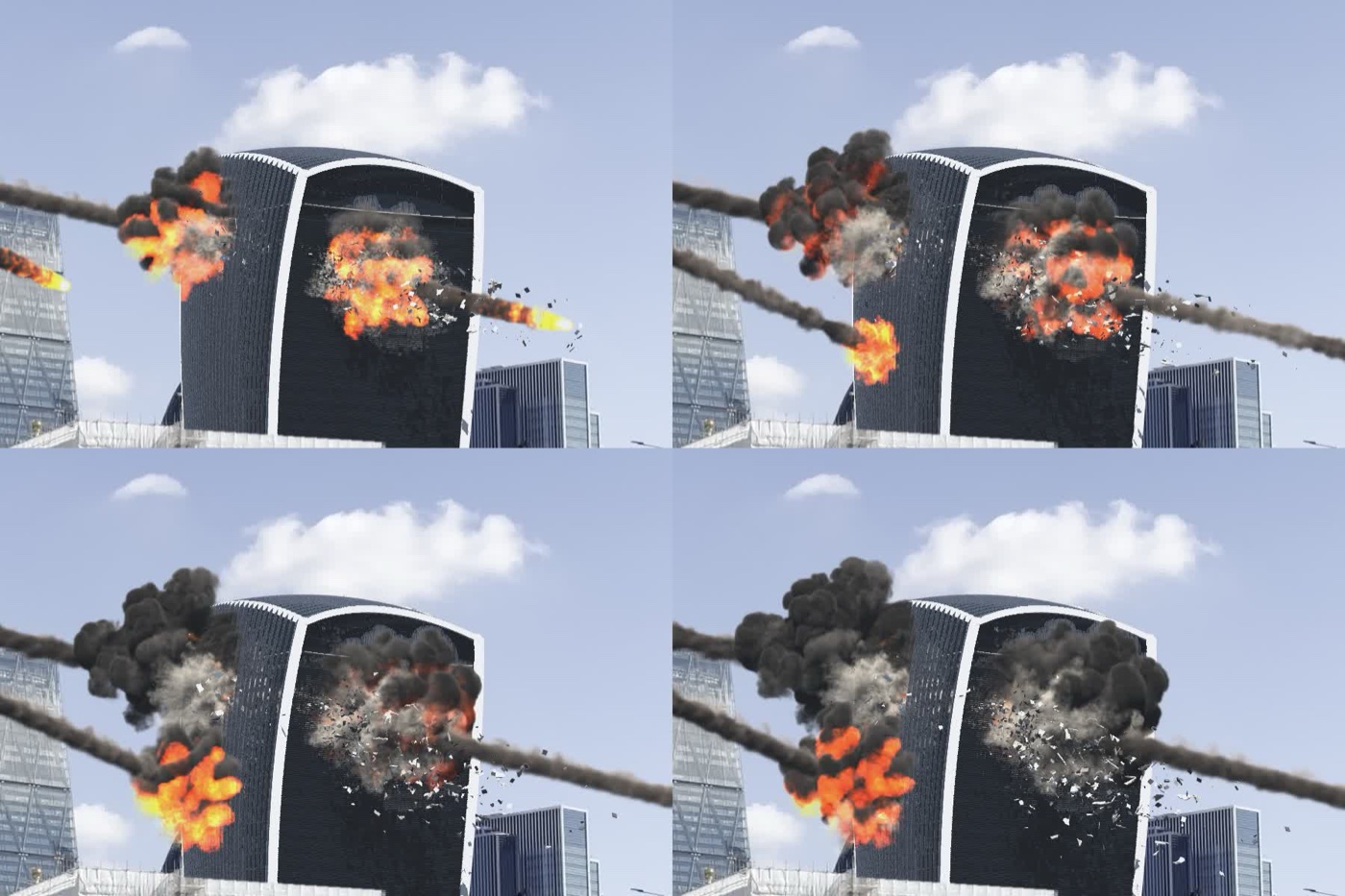
What’s in a name?
Right, the rename. To me the first rock in should be A, and relabelling would have been quick, but the letters run deep. They’re in the sim controls’ parameter names, the stored names in the impacts file, the “through rock” setting, the RBD glue code (which builds names like "impact_frame_" + letter) and the asteroid paths. Since we were re-simming anyway, I had the lot swapped in one go: the parameter names, every A and B in the code, the impacts file and the through rock setting.
Done consistently, every node should compute exactly what it did before, and to prove it we fingerprinted the output of nine key nodes at three frames, before and after (point and prim counts, plus the sums of every float attribute), and compared them. There were zero differences, so nothing that was already cached had to be redone because of the rename. The older posts keep the old letters, so if you’re reading back through, they’re the other way round there.
Pushing the dust around
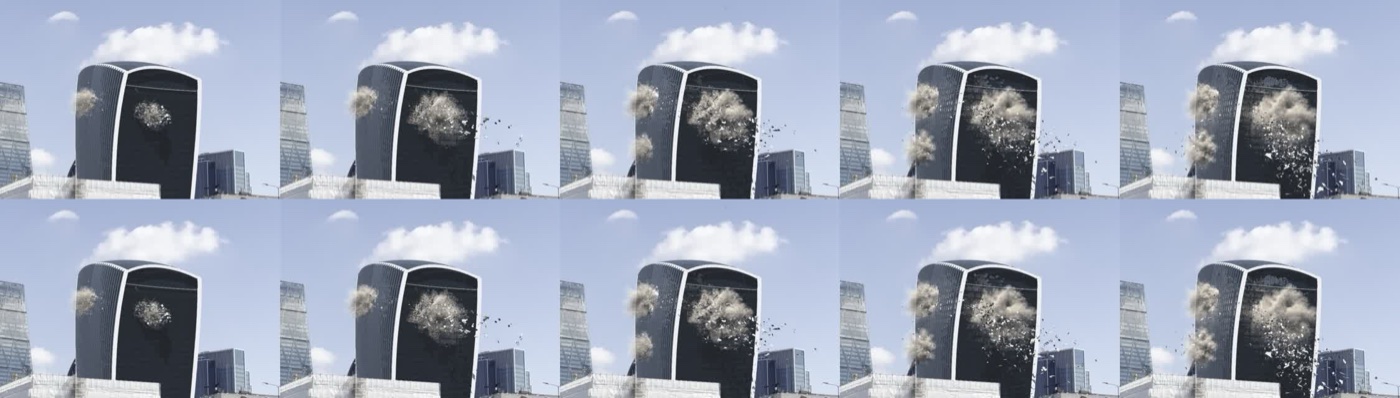
Until now the dust only collided with the building as it stands at frame 1, a still wall with no velocity, so falling chunks passed straight through it. Now, every frame, the pieces moving faster than 0.5 m/s get pulled from the RBD cache (up to about 10,000 a frame) and unpacked, and each point gets its piece’s velocity plus the spin around the piece’s centre. That gets turned into a 0.15 m collision volume with a velocity field and merged into the building’s collision, which the dust solver now reads every frame. It costs about a second a frame, and the dust sim went from 22 to 26 minutes.
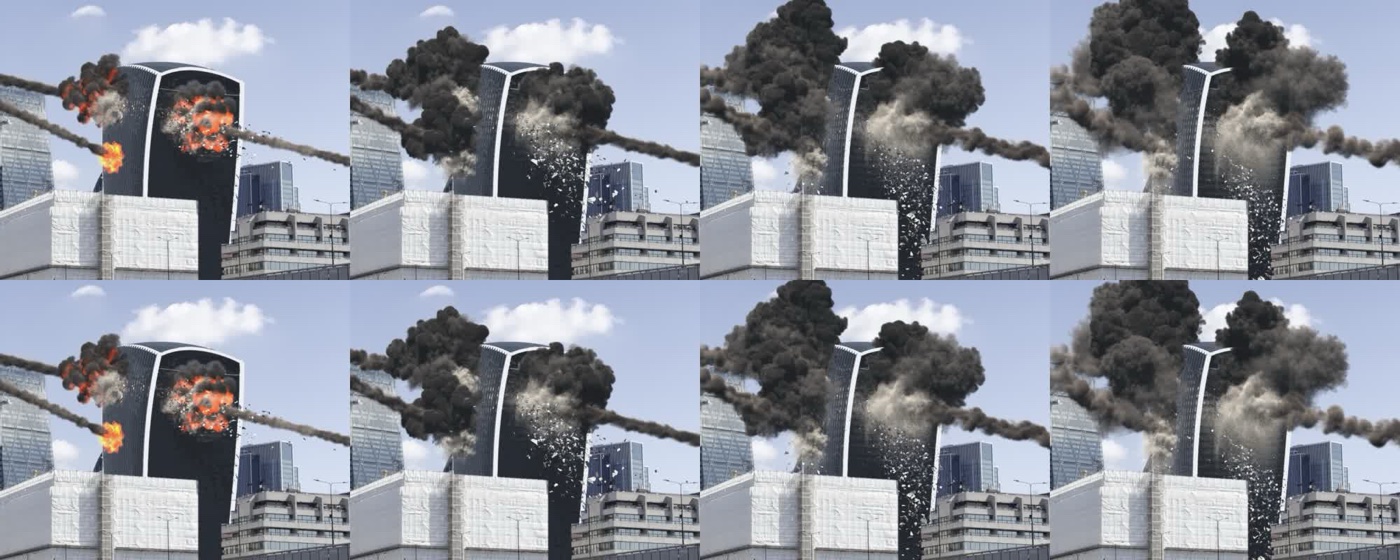
I was on the fence about the rocks. In reality they would push the dust, but I didn’t want it shoved across the frame, and at their real 300 m/s they’d fire it right out of shot. So they’re in at 15% of their speed, capped at 40 m/s, which is enough to draw the exit burst out along their path without throwing it.
Need for speed (and a dead end)
Last time I said finding out why the flipbooks were so slow was on the list. They’d been running at 20 to 35 seconds a frame, and timing each object on its own turned up two culprits.
The first was the dust curtain. The overnight script had left the full 0.1 m render curtain switched on after its flipbook, so every flipbook after it was drawing 73 million voxels a frame. Switching back to the 0.2 m display copy saved about 7 seconds a frame. Easy peasy.
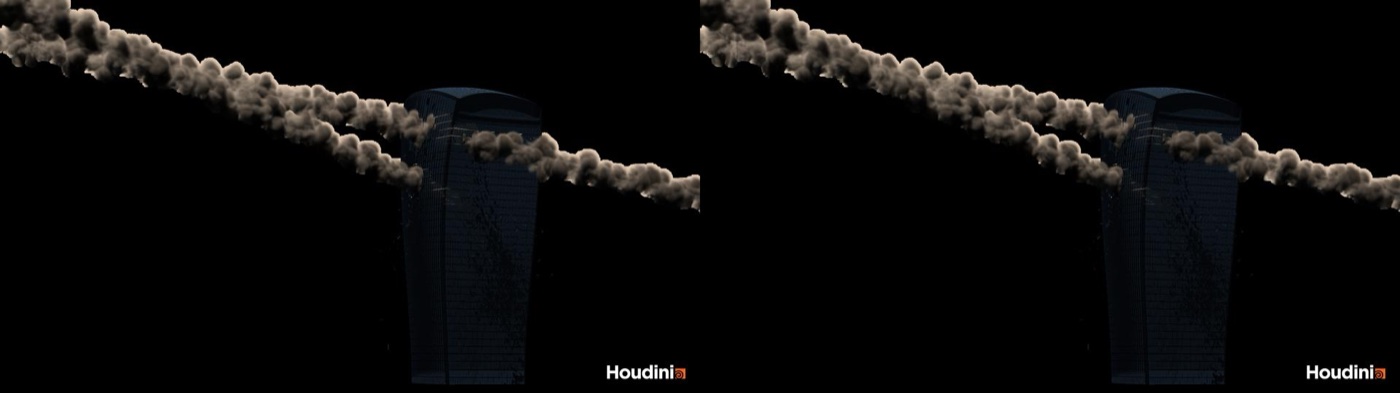
The second was the asteroid trails, at about 16 seconds a frame. Each trail is one long, mostly empty volume running diagonally across an 800 m box, and the flipbook resamples the whole box. Cutting each trail into 8 slabs dropped that to 1.4 seconds, and the full frame from about 35 seconds to 11. Happy days!
Except the slabs looked identical in a still, and in motion I could see a vertical line moving along the tail. Fixing the slabs in world space and cross fading them over a 4 m overlap made the density join up perfectly, and the line was still there. It turns out the flipbook shades each volume on its own, so a slab never gets shadowed by its neighbour. The slices come out lighter and step in brightness where they meet, and no amount of blending fixes that. So the slabs came out again, and the flipbooks are back to about 25 seconds a frame, which I’m fine with. The final renders were never going to use the slabs anyway.
Two smokes, one plume
The full v048 flipbook showed a problem the stills hadn’t. The smoke from the burning floors didn’t look like the smoke from the explosions, and when the explosion smoke faded away it just looked off.
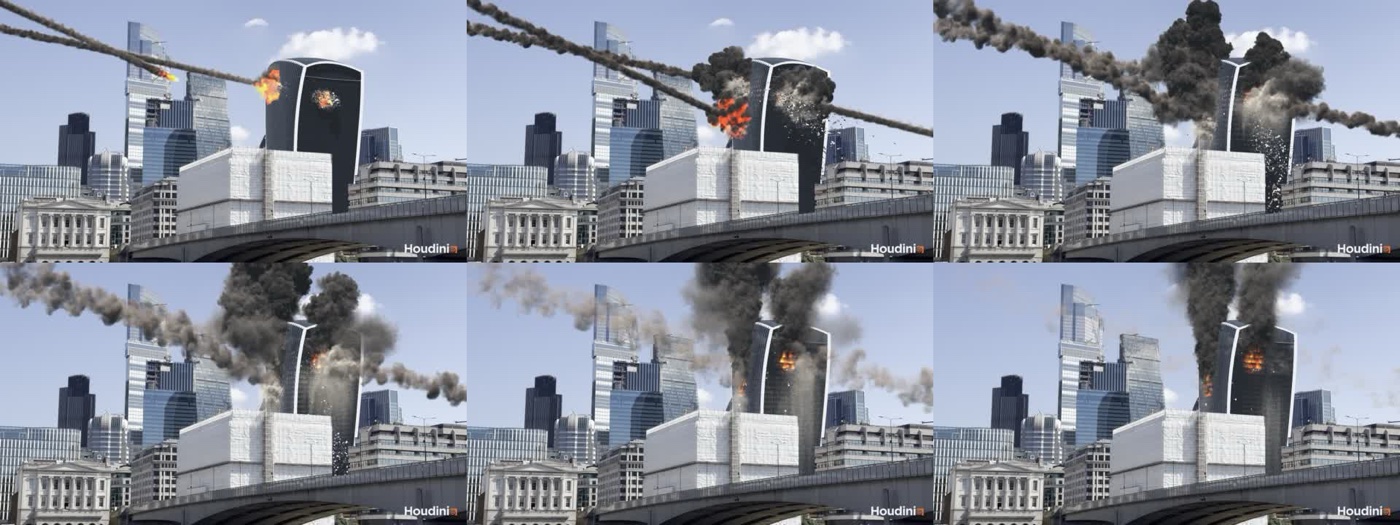
The explosion smoke gets packed densely into the fireball and holds together as thick black billows. The burning smoke is spread thinly across the face, about 3 to 4 times less dense per puff, so the turbulence tore it into brownish wisps. On top of that, the explosion clouds slowly dissipated as they rose. It took four goes:
- v007: two and a half times the burning smoke, with chunkier puffs, the dissipation down from 0.02 to 0.005 and half the shredding. The two matched and nothing faded, but it piled up into a black wall over the tower.
- v008: a third less smoke and a flatter colour ramp. It looked exactly the same, as the core of the plume is opaque, so less density doesn’t show.
- v009: double the lift and half the wind. Narrower, and columns start to show, but the explosion clouds still hung around at the top of frame.
- v010: the fireball smoke born hot, with a 25 m/s push upwards. The explosion clouds punch up and leave frame by about frame 160, dense all the way, and one black column rises from the burning floors.
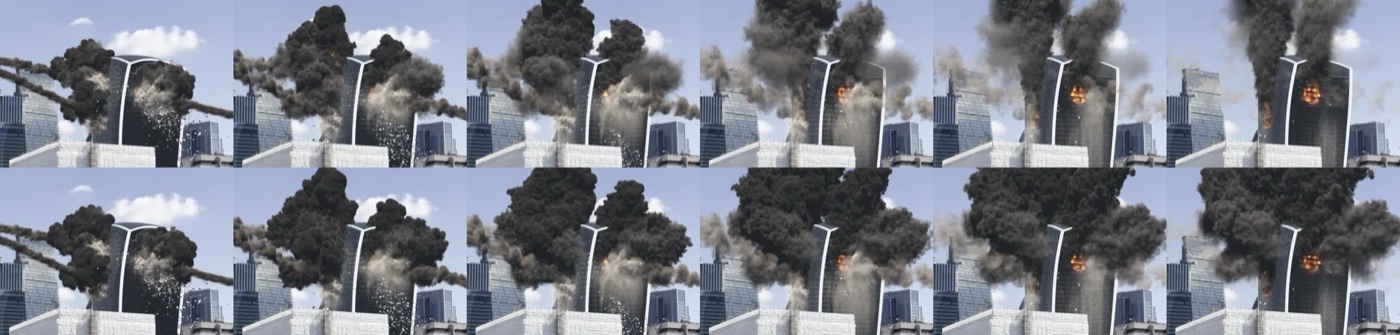
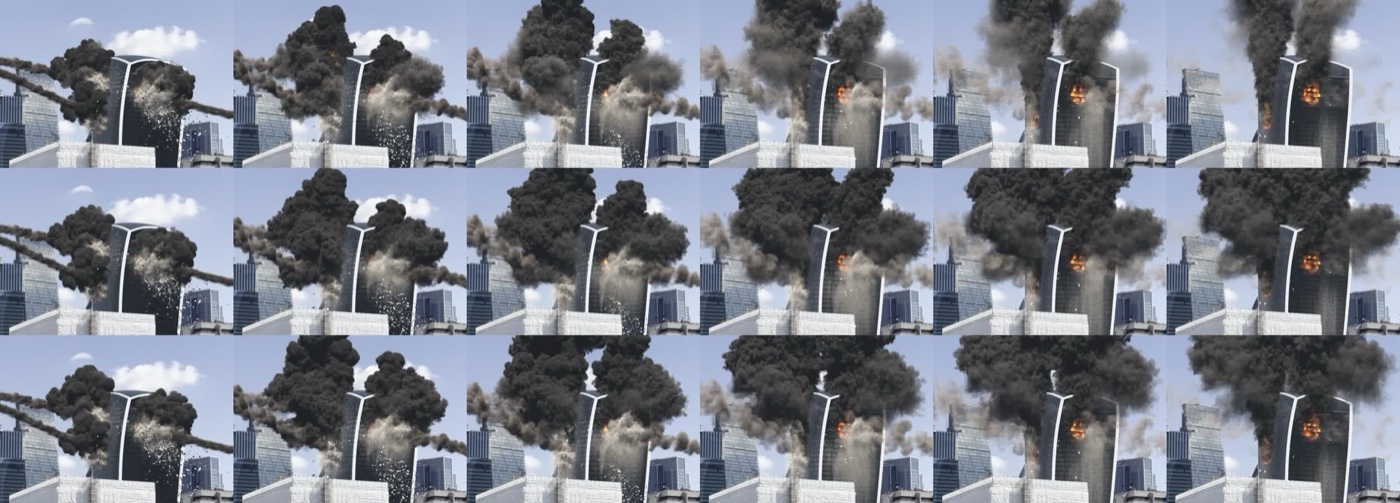
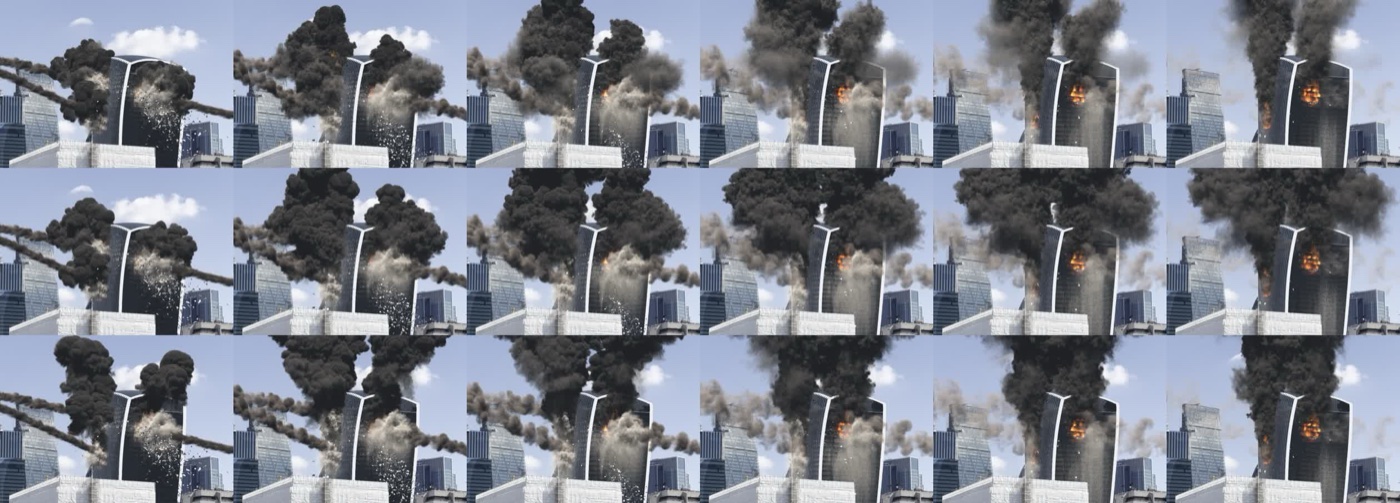
The lesson from v008 was a good one. Once the smoke is opaque, what you see is its size, and that’s set by how long it lives and how far it spreads, not by how dense it is. I also had the colour ramp flattened (0.32 to 0.08 became 0.22 to 0.14) so the dense bottoms aren’t near black. The lighting should be making the dark undersides, not the colour.
The v050 flipbook carries v010 through the whole shot, and from about frame 190 one dense black column rises from the floors that are still burning and matches the explosion smoke all the way up.
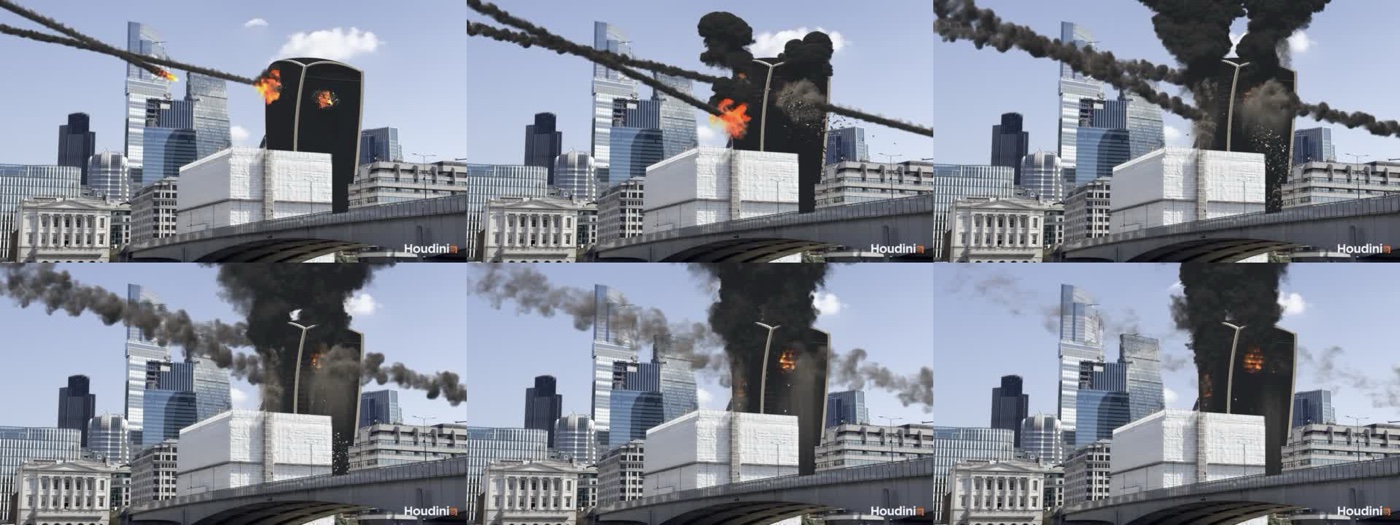
That being said, once I saw it in Karma the explosion clouds are too smooth, and so is the plume, so both still need proper shredding.
First light in Karma
Before the next flipbook I wanted to see one real render, so frame 60 went through Karma.
For lighting I picked a daytime construction yard HDR over a brick factory one I also had. The construction yard has high, thin cloud softening the sun, concrete blocks all round and a neutral grey ground bounce, which is all pretty close to the City of London. The brick factory has a hard sun, green trees and a warm orange ground, not so much.
The sun got painted out of the HDR and replaced by the scene’s distant light, which was already aimed to match the light on the real tower. Before painting it out we measured its share, about 3.4 units of light against 1.3 from the whole sky, so the distant light is a soft sun at about 2.6 times the sky, which keeps the balance true to the HDR. One overall scale of 0.25 puts a mid grey surface in sun at about mid grey on screen. The fire, the smoke and the asteroid trails also needed proper Pyro materials, as until now their look only lived in the viewport display settings, which Karma ignores. And the render uses the full 0.1 m dust curtain rather than the display copy.
The frame is 1920 by 1080 at 12 samples on the CPU, and it took about 5½ minutes. Roughly 4½ of that was preparing the scene (every object and about 100 million voxels of volumes converted for the renderer), and only about a minute was actually rendering. Karma also runs as a separate process (husk) after the ROP returns, so the image turns up a minute or so after Houdini says it’s done.
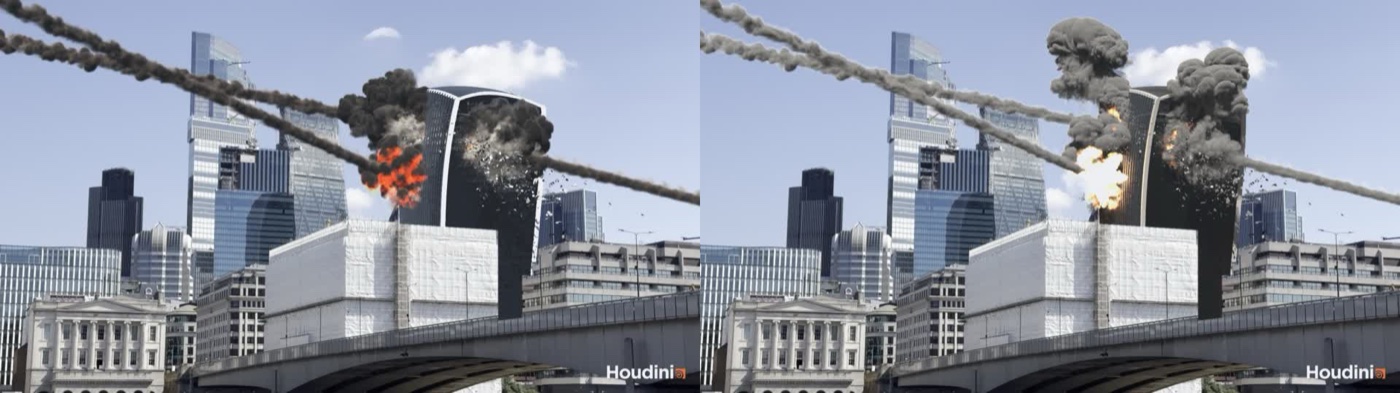
What it shows:
- The smoke is lit, finally! The plumes have real sunlit tops and shaded sides, and the trails read as volumes in the sky. But the explosion smoke comes out mid grey, not charcoal. Under real light the colour that read as charcoal in the flipbook is far too light, so it needs to go a lot darker, and it needs more shredding.
- The fire is too hot. Rock B’s fireball is yellow white, the same clipping problem as before, now in Karma’s units, so the fire brightness needs tuning separately from the flipbook.
- The tower renders very dark. The fins should be white metal, the louvres black metal, and the glass needs to reflect the sky.
- The dust barely shows at this frame.
- At about 5½ minutes a frame, the full 240 frames would take about 22 hours, so the look development happens on single frames until the prep is sorted.
Notes to self
- Merged volumes keep only the first input’s display settings, so volumes with different looks need their own objects.
- If a fireball’s too yellow, check the brightness before the colour ramp.
- To prove a refactor changed nothing, fingerprint the node outputs before and after and compare them.
- Opaque smoke shows its size, not its density.
- Splitting a volume into pieces shows up in the flipbook however well the density is blended, as each piece gets shaded on its own.
- The flipbook isn’t the lighting. Its crude shadows make every dense underside near black, so don’t grade the look to fix that.
- A sim script that trips on a protected setting inside a locked built in tool stops before doing any work, so skip the locked nodes.
How long it all takes
On the Deathstar, the fire and smoke test on one hole (frames 30 to 120) took under a minute at 0.3 and 0.6 m voxels, and about 4 minutes at 0.15 and 0.3 m. All three holes took about 13 minutes. For the whole shot the fire takes 29 minutes, the smoke 26 to 41 (v010 is the slowest, as the rising clouds make the box bigger) and the dust 26, now it has the moving collision. The full v048 run was 147 minutes all in. A 240 frame flipbook is about 100 minutes without the slabs (45 with them, for the short time they lasted), and a single Karma frame is about 5½ minutes.
How it’s built
As with the last few days, Claude did the hands-on work through the Houdini MCP bridge, in Houdini 22 Apprentice on the Deathstar, with me directing and reviewing the stills and flipbooks. Every step gets its own hip file and caches, the network gets built by a script so it can be rebuilt from scratch, and Claude kept a log of the day.
What’s next
Rendering isn’t my strong point, so this is where I’ll be leaning on Claude the most. First up is the shredding in the explosion smoke, judged on single Karma frames. Then the materials, with white metal fins, black metal louvres and glass that reflects the sky (blue grey, getting lighter towards the top) instead of sitting there near black. Then speeding up the Karma prep, by writing the volumes out as VDBs the render scene points at, rendering the building as instances and using one USD scene for the whole range, which should take the prep from 4½ minutes a frame down to seconds. With that time back it’s on to render quality: motion blur (the render VDBs keep their velocity), adaptive sampling with separate volume quality and denoising, the fire lighting the smoke, the dome rotated to match the plate, and multipart EXRs with depth and ID mattes for Nuke, plus a short comp guide. After that come the blocks for the neighbouring buildings, embers and fragments, the background asteroids and the re-sims once the louvres are in. Enough talk, time to get rendering!
No Comments