
Another One Bites the Dust!
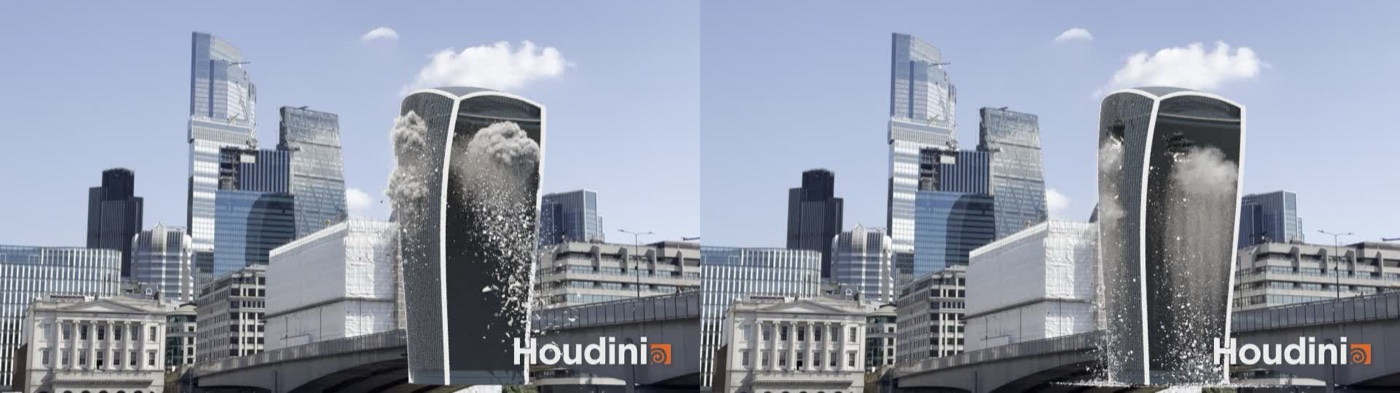
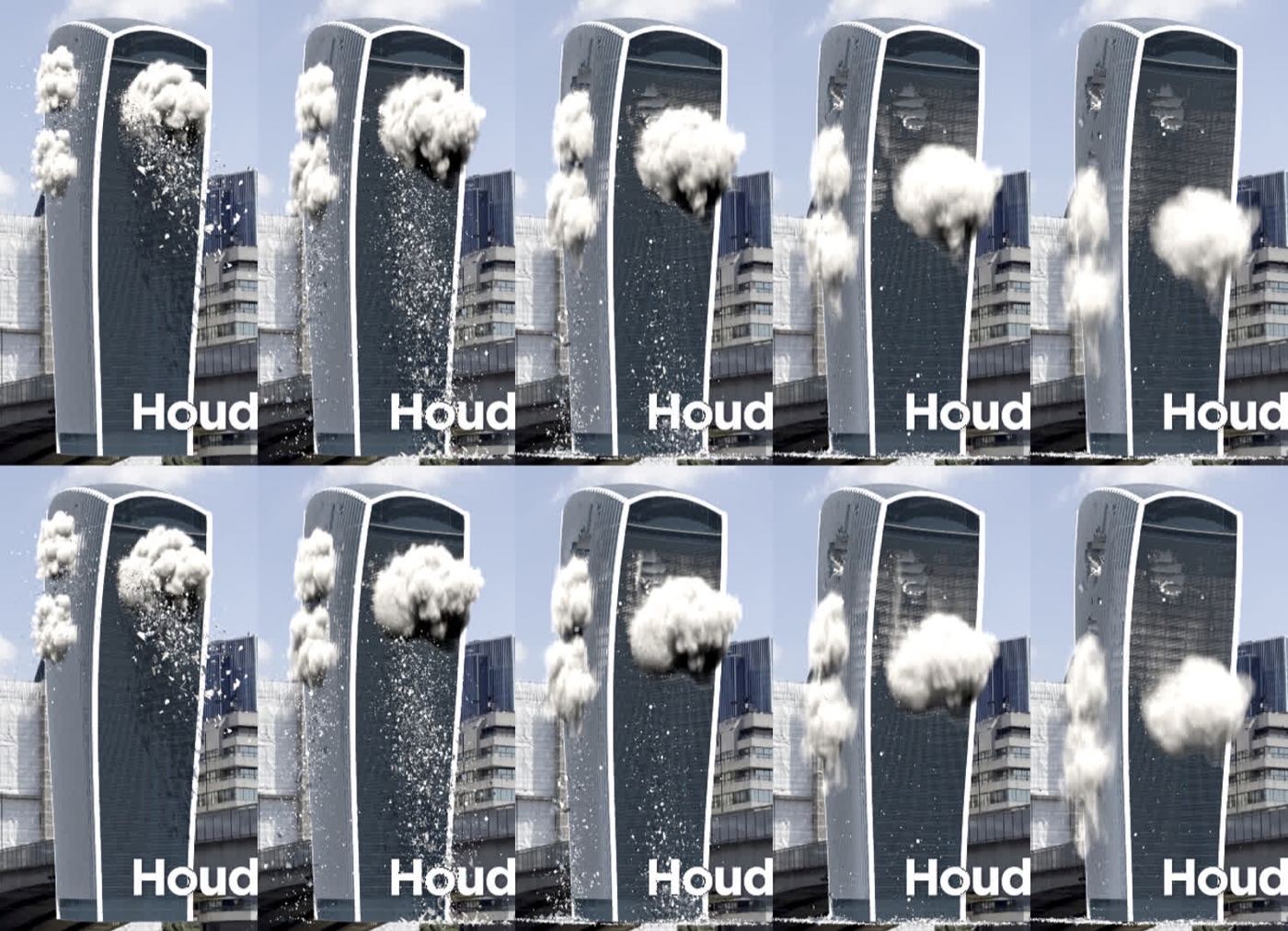
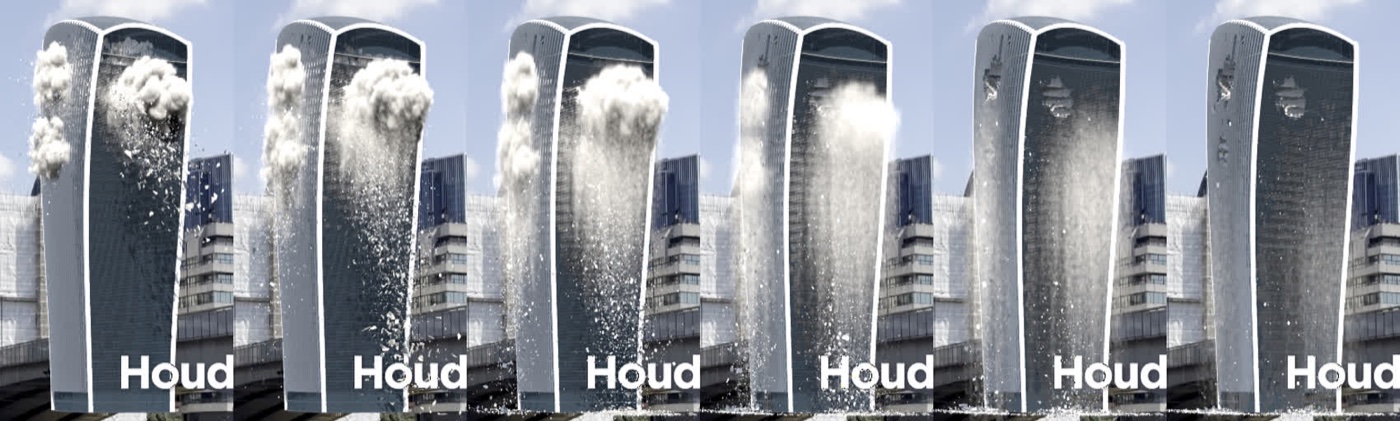
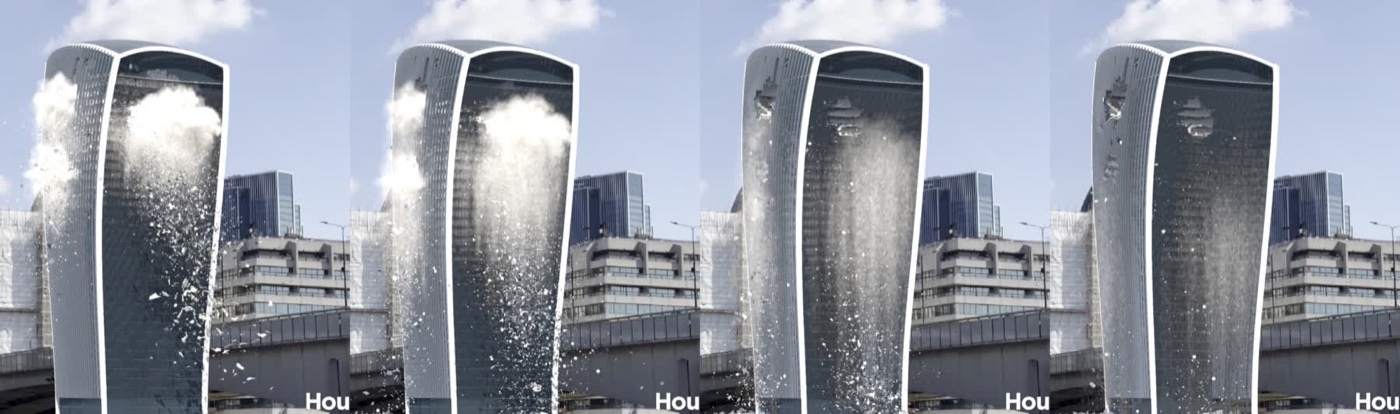
It’s been a few days since the last post, where the two asteroids first hit the Walkie-Talkie. Days two and three went on debris, reworking the fracture with the cutter logic from the tools I used on my past shots (more organic cuts and far fewer triangles), keyframing the asteroids and a first pass at dust. Day four was meant to be all about the dust. It mostly was, but first the building had to stop falling apart, and by the end of it the whole job had moved off my laptop and onto a beefier desktop to handle the sims. Here’s where it got to, the first frames out of Karma over the plate:
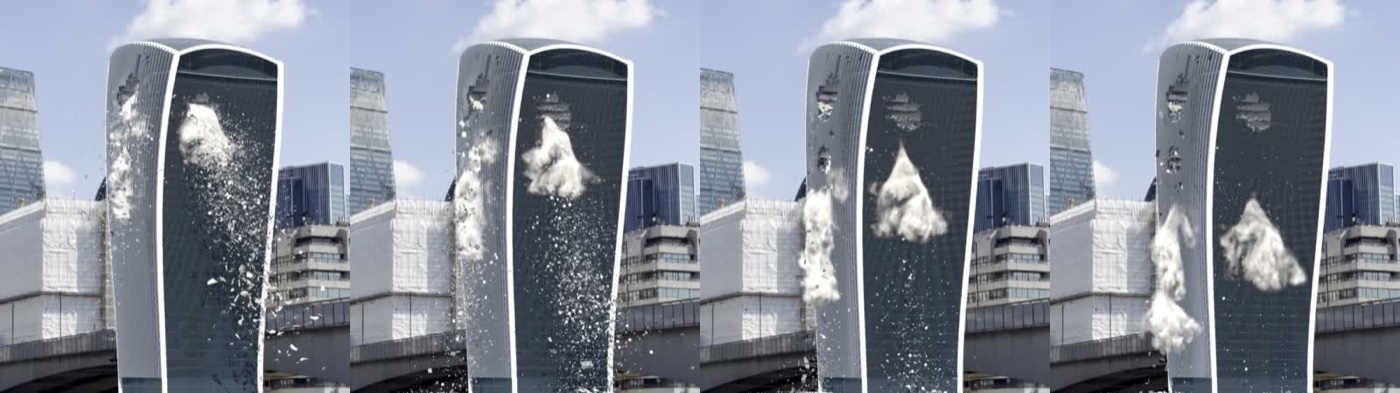
And here’s the flipbook from the end of the day, with the stronger glue and the high resolution dust from the Deathstar comped over the plate. It’s still OpenGL shading rather than a render, and there’s no fire or smoke yet, so keep an eye on the left of the tower where the burst rolls out and the curtain pours down the face.
The full length flipbook
The v024 flipbook was the first one I watched over the full 378 frames, and it showed up two things the short tests had been hiding. The first was that the building gave way around the second impact. The glue that was meant to hold the undamaged part of the tower kept breaking for a hundred frames after the hits, and the inside of the building poured out down the face like a waterfall. Claude tracked every piece and found about 7,800 of them unzipping one bond at a time between frames 70 and 150. Nothing scripted was breaking them, the glue just wasn’t strong enough to hold once debris started hitting it.
The second was the dust. It came out of the right place and went the right way, but once it started to fall it dropped as one compact, rounded ball. Not quite the look! My call on both was realistic first: damage where the rocks hit, the rest of the building holding, and dust that bursts out and comes down the way it does in the reference.
Hold it together!
The scripted break front (each impact’s spreading wave of bond breaks) stayed exactly as it was, so the holes keep the shape I’d already signed off on. What changed was the glue around it. Each bond now knows how far it is from the nearest blast, and inside the inner half of the blast radius it keeps its normal strength (that’s where the hole is), then from there out to the edge it ramps up to 10 times stronger and stays that way beyond. The impacts look almost identical, but about 4,400 fewer pieces pour out afterwards, 13,881 moved by the end of the shot against 18,307 before.
That first run after the glue change had a funny one though. The debris finished in “0 minutes” with exactly the same number of bits as before, which seemed a bit too good to be true, and it was. The POP network had kept its last simulation in memory, and swapping the RBD cache it reads didn’t tell it anything had changed, so the chain just saved the old debris again under the new version number. Every chain script now hits Reset Simulation on each solver before it caches anything. (With fewer pieces breaking free the debris went from 54,770 bits down to 48,277, which makes sense.)
With the waterfall gone, the next flipbook showed the upper hole slowly crumbling again late in the shot, about 1,200 pieces (mostly floor slabs) starting to move after frame 250. So there’s now a Lock After Frame control, set to 130. After that frame any glue that’s still holding becomes unbreakable, the soft anchor springs that tie the active pieces to the static tower stop snapping when they’re stretched, and loose rubble that’s still within 1.5 m of where it started has 60% of its speed taken off every frame so it stays on the floors. After frame 120 only about 500 more pieces move now, and nearly all of those were already falling.
The one wrinkle was that the constraint solver inside the RBD Bullet Solver is a locked asset, so nothing can be added inside it. The lock is done from the outside instead: a time dependent wrangle after the glue sets the strength to -1 (unbreakable) past the lock frame, and the Bullet node’s Attribute Update from SOPs pushes the new strength into the running sim every frame. A bit of a back door, but it works!
Dust in the wind
This took most of the day, and the attempts that didn’t work are as useful as the one that did, so here they all are.
First, the reference. I pulled two sets. The building demolitions show dense, rolling, cauliflower like clouds, horizontal jets out of each floor that hook downward, and curtains of dust pouring down the faces. The second set showed the important bit, which is that the dust does two different things. There’s a dense burst at the impact floors, much bigger than the hole, that gets thrown out, stalls almost straight away and then hangs and rolls, and underneath it a thinner veil of fine dust and bits pouring straight down the face. What I wanted from the burst was for it to hang, roll and fall over the course of the shot. Handily the street is hidden behind the buildings in front, so nothing at ground level needs simulating.
The first go (v026) was a noisy downward wind, patches of faster and slower falling air with some sideways wander. The ball broke up, but a thin cone of dust trailed from the hole down to the cloud. Next (v028) was a dedicated burst, dense dust thrown out of the exit and entry holes with a slow band of air around it. That one hung there for the whole shot and never came down.
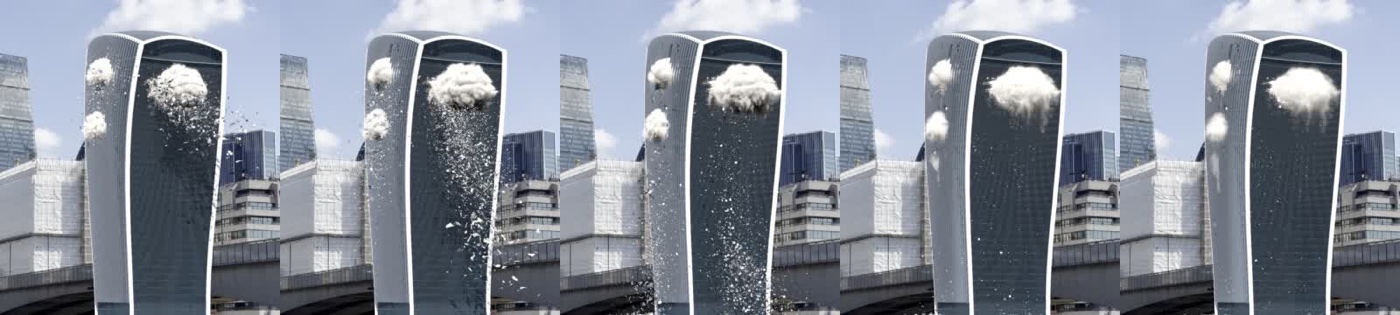
For v029 the burst got lumps and jets, and the sinking was driven by the Pyro solver’s own Wind. The cloud finally made it down to the buildings in front, but it fell as one lump. Making the dense cores heavier so they’d fall ahead and leave a trail didn’t help either, it was the same lump, just a little slower.
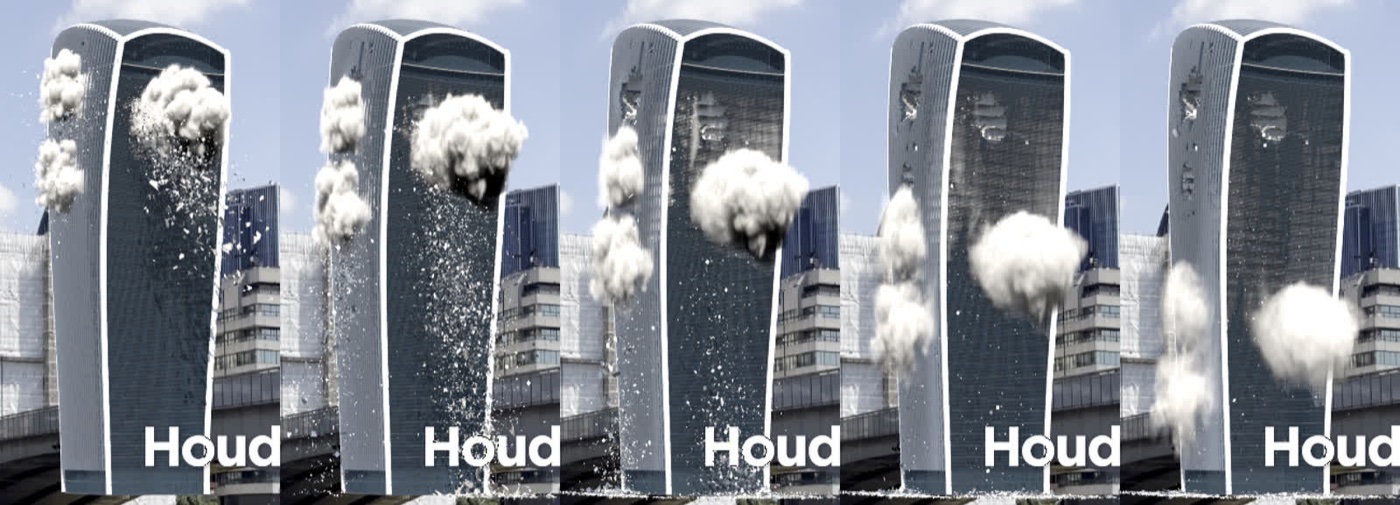
Then v030 tried two ways of getting more dust out of it: feed, where the hole keeps pouring dust, and shed, where the cloud sheds dust off its underside. Both made 40 to 70% more dust, but the extra dust just moved down with the cloud, so the spread from top to bottom was identical at every frame.
And for v031, pour, a column of downward pushing air under the cloud. The lump was gone, but so was the fall, as almost no dust left the cloud at all.
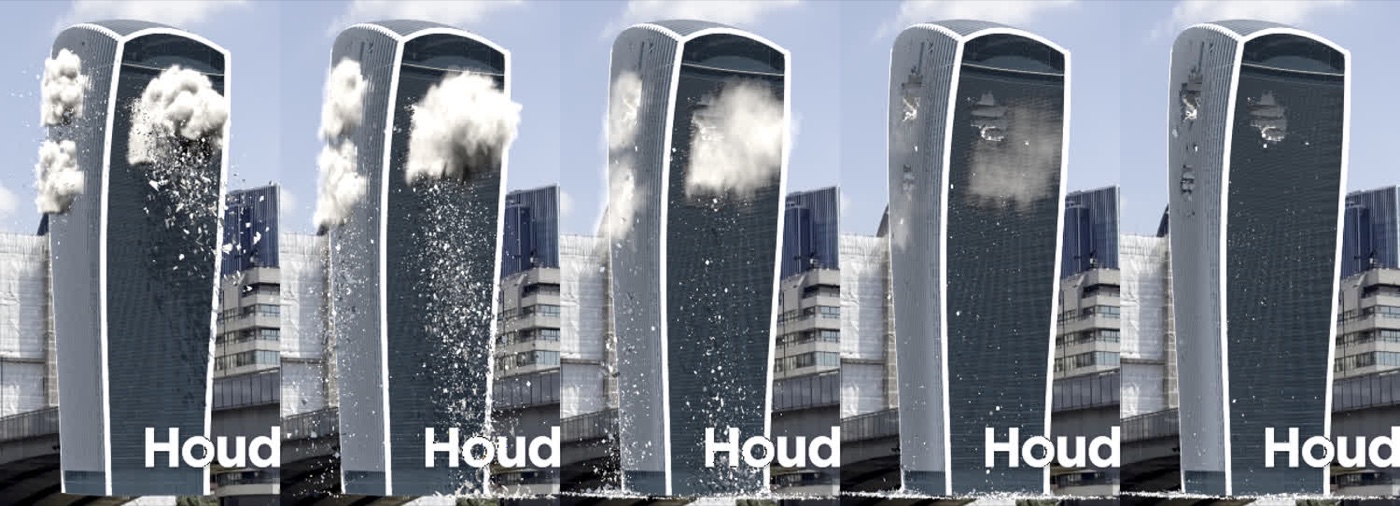
Two things about Pyro explain most of that. The pressure solve evens out local pushes, so steering the air down in one spot mostly gets cancelled out (the dust was told to fall at about 12 m/s and actually moved at 2 to 4). And the solver’s Wind moves everything together. It’s an offset on the advection that the pressure solve can’t cancel, which is why the cloud finally sank, but it carries every bit of dust at the same speed, so nothing can trail behind. There were a couple of plumbing bugs along the way too. The velocity source blends by density, so the burst’s 70 m/s was arriving as about 5 m/s until a separate burst push source went in, and the noisy wind had to be a single vector VDB rather than three separate x, y and z volumes before the solver would even read it.
Two layers are better than one
What worked was splitting the dust the way a production shot would. The burst stays in Pyro, with exactly the shapes I liked: thrown out of the holes in lumps and jets, wrapping round the corners, rolling and billowing, with only a gentle drift down. The curtain is particles, fine dust shed from the underside of the cached burst cloud plus short trails from debris falling near the holes. Each particle falls towards its own speed, set by a noise across the face, so the curtain pours down in fingers and streaks, with a curl noise swirl on top. The particles get turned into a density volume for display and rendering but are never simulated as air, so there’s nothing to even them out, and the whole curtain sims in about 30 seconds. Pretty straight forward, once we stopped fighting the pressure solve!
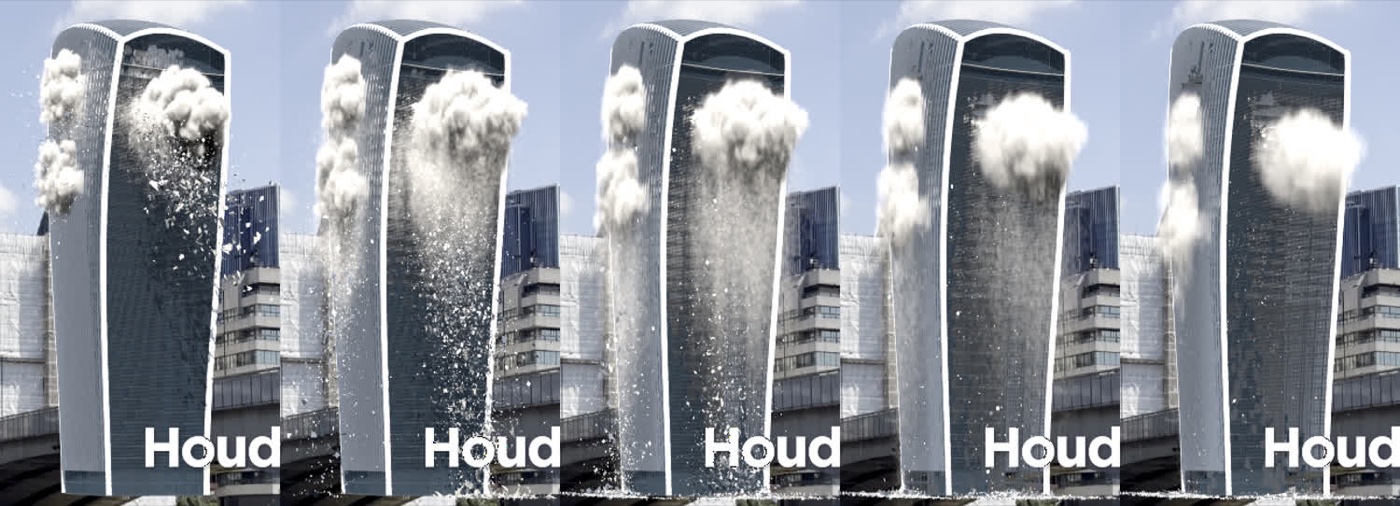
Then the shred (v033) ties the two together. After Shred Start the burst gets torn apart much harder, and what’s left of it drifts down with the curtain and thins away, so it reads as the burst turning into the curtain.
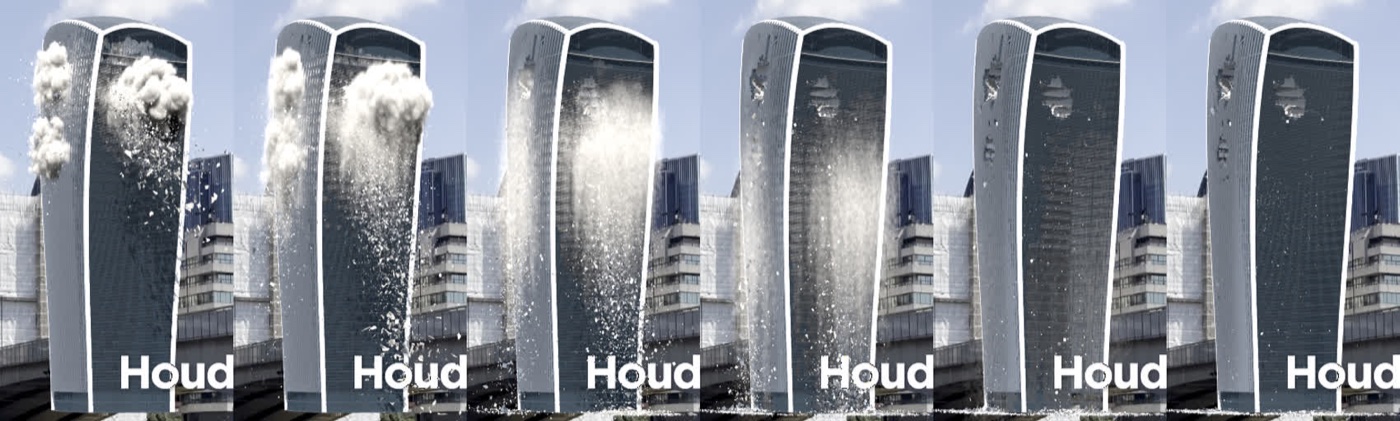
I wanted the burst on screen a bit longer, so v034 starts the shred 2.5 seconds after the rock comes out and ramps it in over 4 seconds. Now it rolls until about frame 150, shreds into the curtain by about 190 and is a thin veil by about 230, which leaves room for the fire and smoke to take over.
That’s no moon!
Up to here everything had been running on my MacBook Pro (Hoth, an M4 Pro with 24 GB), which I also need for my own work. Meanwhile my other desktop (the Deathstar) was sitting there idle, so the job moved over.
The setup was pretty painless. Houdini 22.0.508 went on, a bug fix build of 22.0 that opens the 22.0.466 files as they are. The Houdini MCP bridge comes in two parts and needs both: the Houdini side plugin goes in ~/Library/Preferences/houdini/22.0/houdinimcp/ with a package file in packages/, and the bridge server (uv tool install houdini-mcp-server) goes in the Claude desktop app’s config. With the conversation linked to the Claude app on the Deathstar every Houdini command runs over there, and I can keep talking to it from the laptop or my phone. The project itself syncs through Perforce, and the sim caches (which stay out of Perforce) went across over an SMB share straight from the Deathstar, about 4.5 GB of them.
Of course it wasn’t all smooth sailing:
- App Nap. The first overnight run went about 11 times slower than the test, starting the moment screen sharing was closed, because macOS throttles an app whose window isn’t visible.
defaults write com.sidefx.houdini NSAppSleepDisabled -bool YES(then restart Houdini) sorts that, along withsudo pmset -a sleep 0 displaysleep 0 disksleep 0, no password on wake and no screen saver. - No monitor. The Deathstar has no screen plugged in, so with screen sharing closed there was nothing for Houdini’s window or its viewport to draw on. HDMI dummy plug to the rescue! With it in, the sims and the Karma test ran at full speed with nobody watching.
- The viewport flipbook still wants a real view. On the dummy display it only drew the bottom left quarter of each frame (probably because the dummy display uses different screen scaling from the screen sharing session), so flipbooks now go through an OpenGL ROP that renders off screen at a fixed 1920×1080 with alpha, and ffmpeg comps the frames over the plate, which also keeps the plate’s true colours.
- A frozen Houdini can’t be fixed remotely. When a long job wedges the window, the only reliable fix is Esc or a force quit at the machine, so long jobs now run in the background and write to a log file.
With 128 GB of RAM on the Deathstar to play with, the dust got re-run at twice the resolution. The burst went from 0.3 m voxels to 0.15 m (8 times the voxels), the curtain went from up to about 650,000 particles a frame to up to 1.9 million smaller ones, and the curtain volume went from 0.3 m to 0.1 m. The overnight run even fell over at frame 265, and for a pretty good reason: the burst had thinned out to nothing by about frame 250, so the solver handed back no geometry at all and the script choked trying to save it. The empty frame just got copied to the end of the shot.
There were two lessons from that run. Keep the layers separate, because adding the curtain into the burst volume resamples it onto the burst’s coarser grid and throws the fine streaks away, so now the two volumes sit side by side, each at its own resolution. And at the higher resolution the burst came out about 3 times thinner per voxel, which read pale and flat, so a Burst Volume Gain of 3 brings back the weight it had before (the curtain’s brightness gets matched the same way, automatically).
So how much faster is it? For the same work the Deathstar is about 2.5 times faster, and it’ll happily take on jobs the laptop can’t fit in memory at all. The 0.3 m burst took 11 minutes for the whole shot on the laptop (about 1.9 seconds a frame), and the 0.15 m one, which wasn’t realistic in 24 GB, runs at about 6 seconds a frame on the Deathstar when it isn’t being throttled, so about 40 minutes for the shot. The tripled curtain takes a minute and its 0.1 m volume 20 minutes.
A first look in Karma
The old Karma render node had hung on the laptop for 26 minutes plus, then did exactly the same on the Deathstar, so it wasn’t the hardware. The culprit was a render flag. On the building object it was sitting on the Bullet solver node rather than on OUT_RENDER, so the viewport showed the cached result (that’s the display flag) while every render was quietly re-simulating the whole RBD. Oops! With the flag on OUT_RENDER the frames render in about 5 minutes each on the CPU, and the burst finally looks like the reference, grey cauliflower billows with proper self shadowing, much fuller than the viewport shows. Those are the frames at the top of the post.
We’re not at the render stage yet, but there’s a list for when we are. The bridge and the buildings in front need to go in as holdouts so they cover the base of the tower (you can see it sitting on top of the bridge in those frames). The real tower reflects the sky and reads much lighter than the CG one, so it needs an HDRI that matches the plate’s sky. Apprentice caps renders at 1280×720 and adds the watermark you can see photobombing every frame (the resolution override didn’t take either, so the tests came out at 960×540), and an Indie licence would get rid of both. Karma XPU should be a lot quicker using the Deathstar’s GPU as well, and the final setup will be a Solaris scene that only brings in the finished caches and renders with husk outside the Houdini window.
How it’s built
Same as before, Claude did the hands-on work through the Houdini MCP bridge, in Houdini 22 Apprentice on the laptop and then on the Deathstar, with me directing and reviewing the flipbooks. Every step is its own hip file with its own caches, so I can go back to any of them, and Claude kept a log of the day and updated the reference for every control, which will be handy when it’s time to package it all up.
What’s next
Next up is fire and smoke, a band of flame on the broken floors with dark smoke billowing up over the pale dust. After that come the background asteroids streaking across the sky, closing the louvres in the building generator and re-running the whole chain on the Deathstar, thin cladding and louvre strips that flutter as they fall, the render setup, and a shared cache path so the cache nodes don’t care where the hip file lives. The YouTube cut, the fracture HDA and a runbook come last. Time to set it on fire!
No Comments