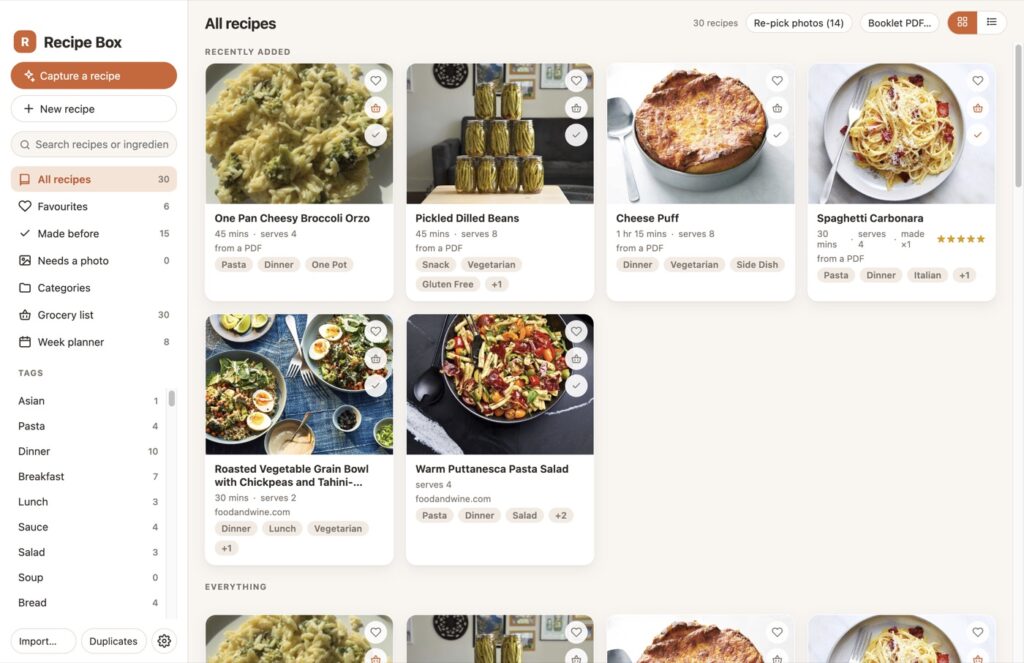
Recipe Box
I had recipes spread across all sorts of places: emails, bookmarks, PDFs, and photos and screenshots I’d captured. I wanted them all in one place that works on my Mac and my PC, and that I can get at from my phone over my VPN when I’m out. So I built an app for it with Claude Code. This is what it does.
Throw stuff at it
Paste some text, drop in a screenshot or a PDF, give it a link, or just type “chicken thighs and rice, something easy to meal prep” and Claude turns it into a proper recipe card: title, serves, times, tags, ingredients split into amount, unit and item with the metric version alongside, and the method as numbered steps. Type a few ideas on separate lines and you get a few recipes. Everything lands as a draft you check before it goes in.
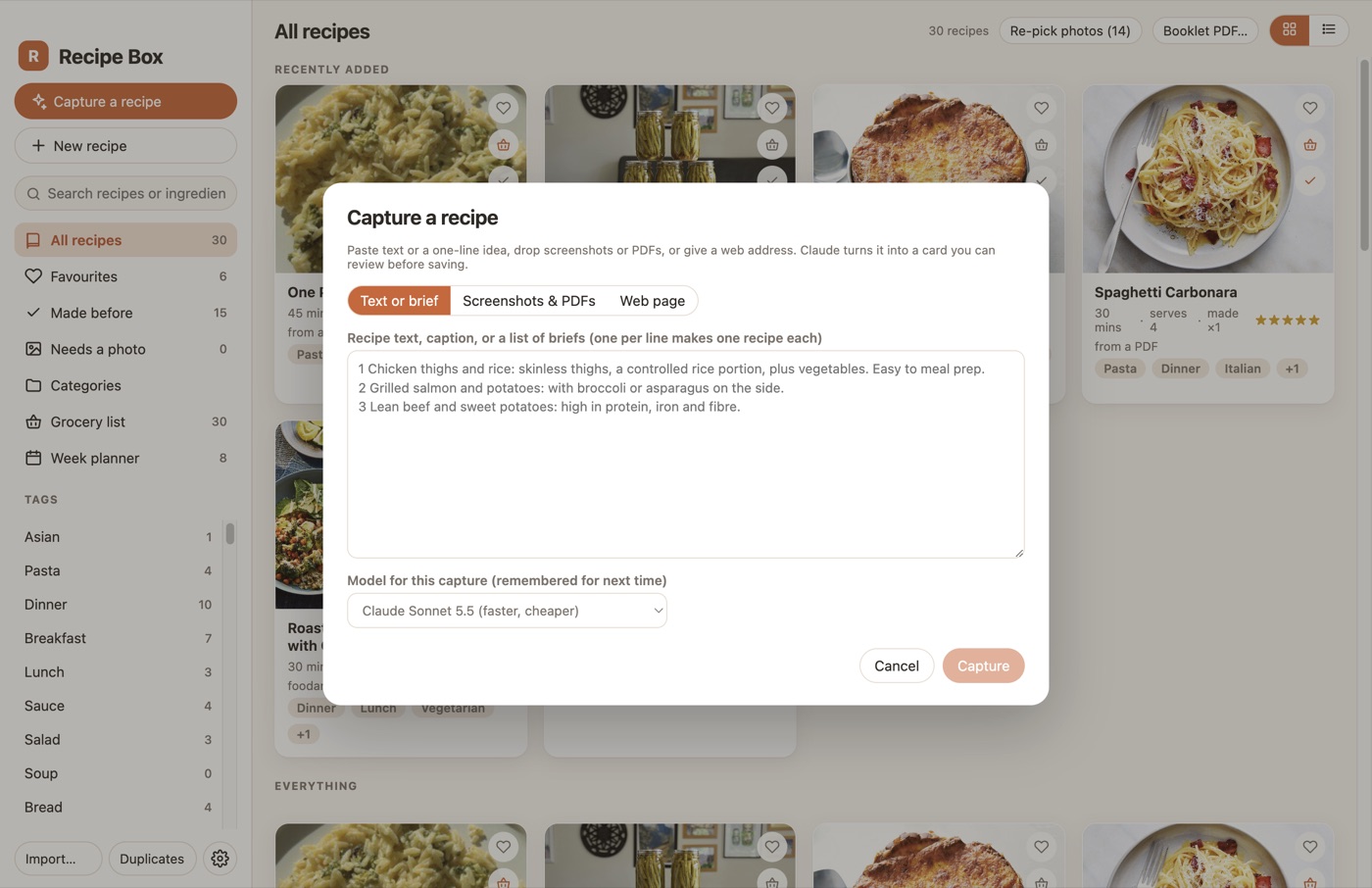
The big import
This was the bit I actually needed. It will chew through a whole Gmail label, a bookmarks export or a folder of PDFs in one go using Claude’s batch API, so you kick it off, go to bed, and work through the review queue in the morning. That’s how the bookmarks and the PDFs went in, a few hundred at a time. Tip: pick Sonnet for the big runs. I picked Opus by accident once and it took a while. There’s a duplicate finder for afterwards, because it turns out I had saved a good chunk of them more than once.
The library is just a folder
Each recipe is a folder with a recipe.json and a photo in it. Put the library in iCloud Drive or Dropbox and the Mac and the PC see the same recipes, the same grocery list and the same week plan. No server, no account. Search by title or ingredient, filter by tag, favourites or things I’ve actually made, photo grid or list.
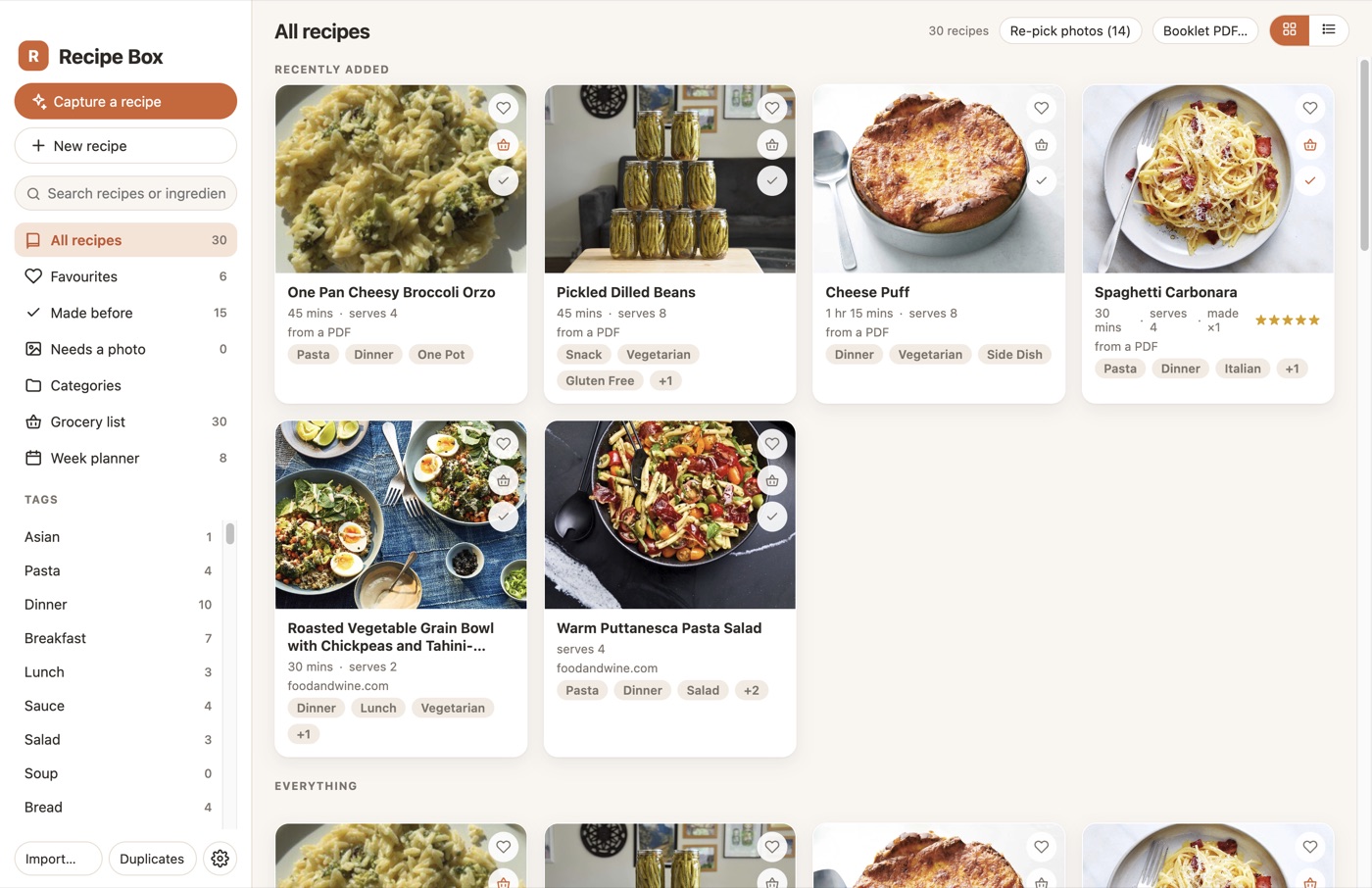
Photos
Claude goes and finds a photo as well: off the recipe’s own page, out of the PDF it came from, or from a stock search. Haiku checks whether the candidate is actually the dish and leaves it blank rather than picking something wrong, and flags it so I can go and find one myself. The cards crop the photo, so you can drag it about to pick what shows, in the editor or right on the recipe page.
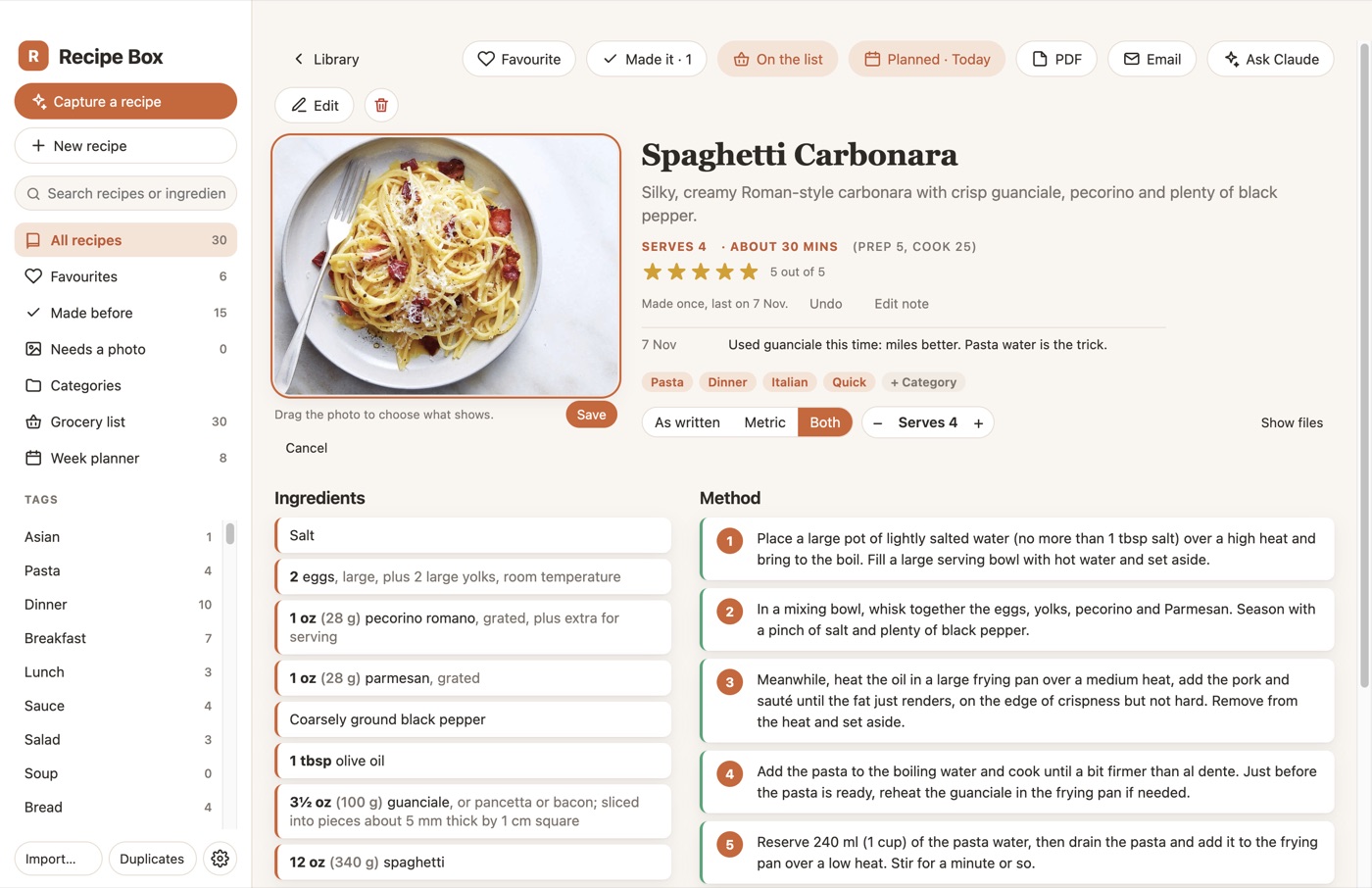
The recipe page
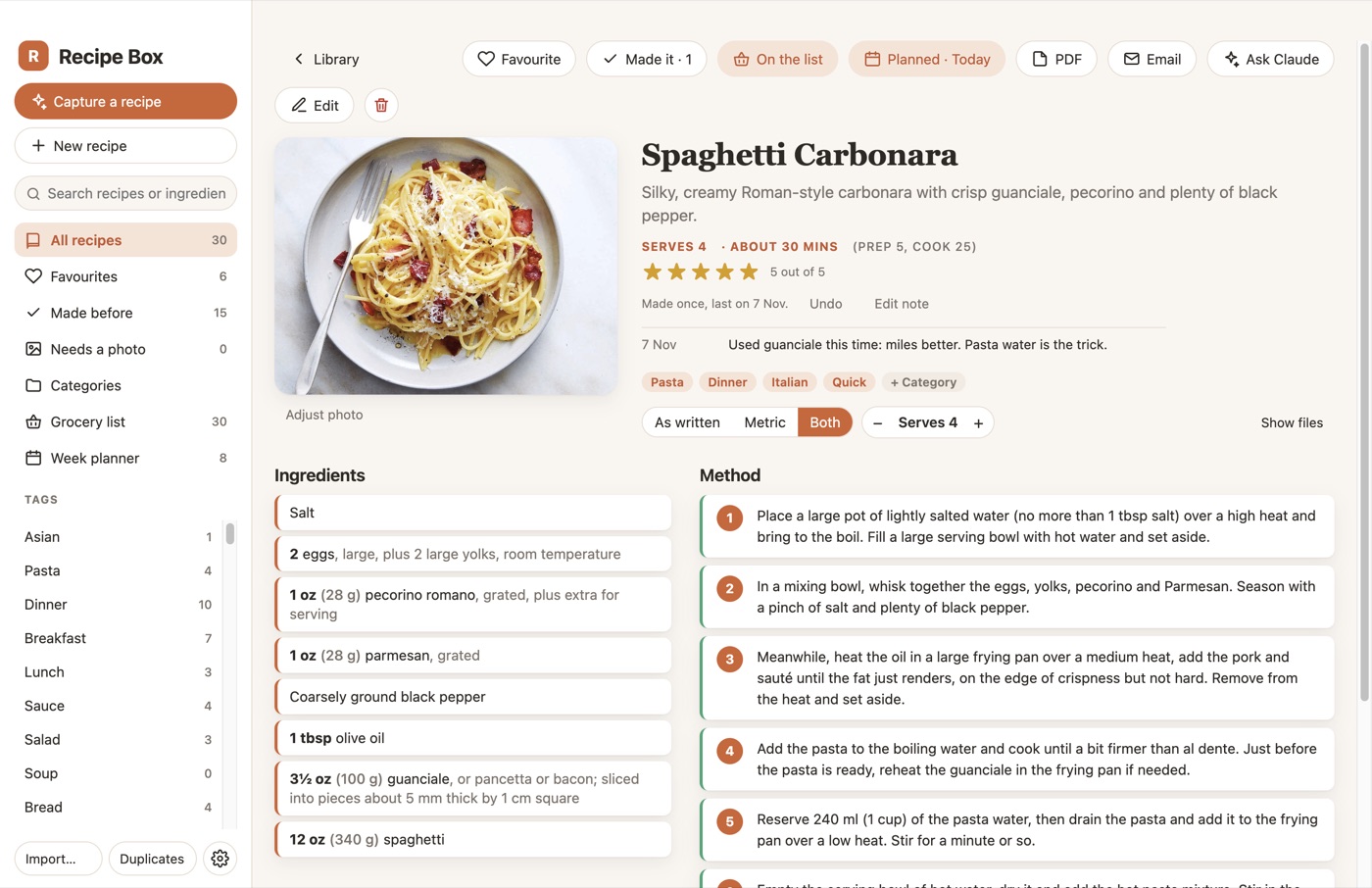
Change the servings and the ingredients scale with it. Units as written, metric, or both at once (“1 cup (125 g) flour”), because recipes turn up in both. Stars so I know what’s worth making again, a Made it counter, and every time you press Made it it asks for a quick note, so “used guanciale, way better” is there the next time.
Ask Claude
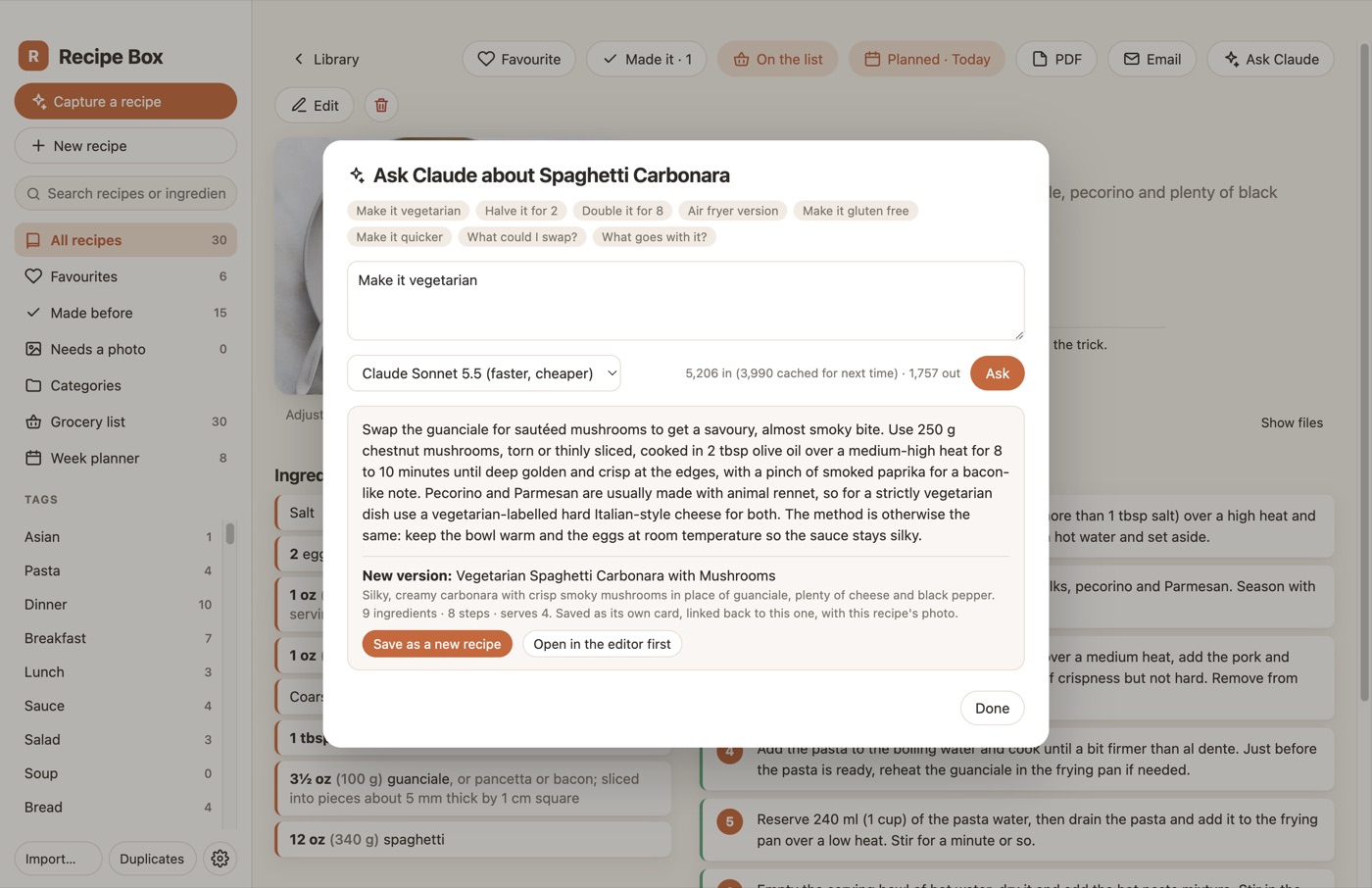
There’s an Ask Claude button on every recipe. Ask a question and you get an answer (“what can I swap for the cream?”). Ask for a version (“make it vegetarian”, “halve it”, “air fryer”) and it comes back as a complete new recipe that saves as its own card, linked to the original and using the same photo.
Week planner and the grocery list
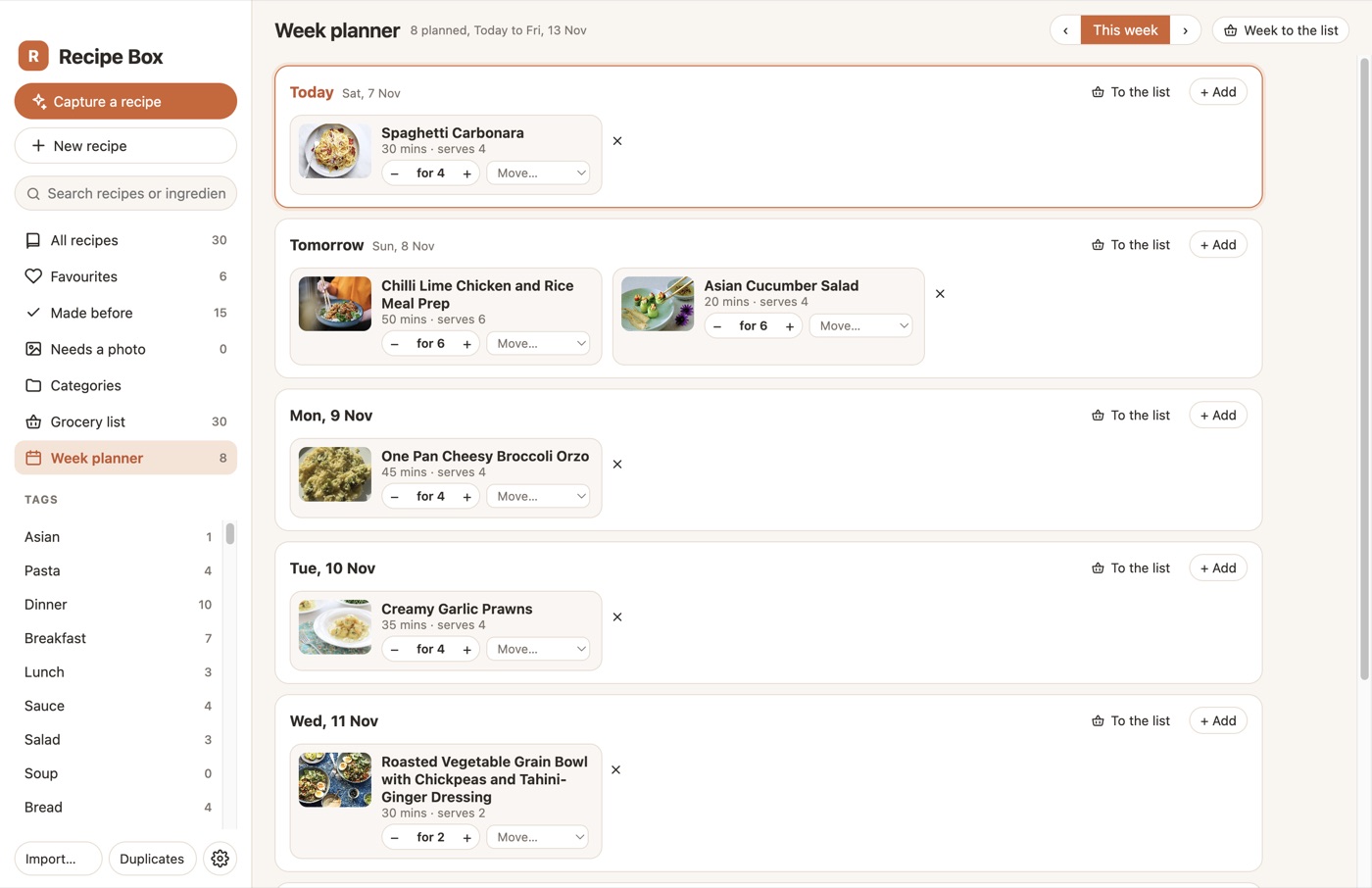
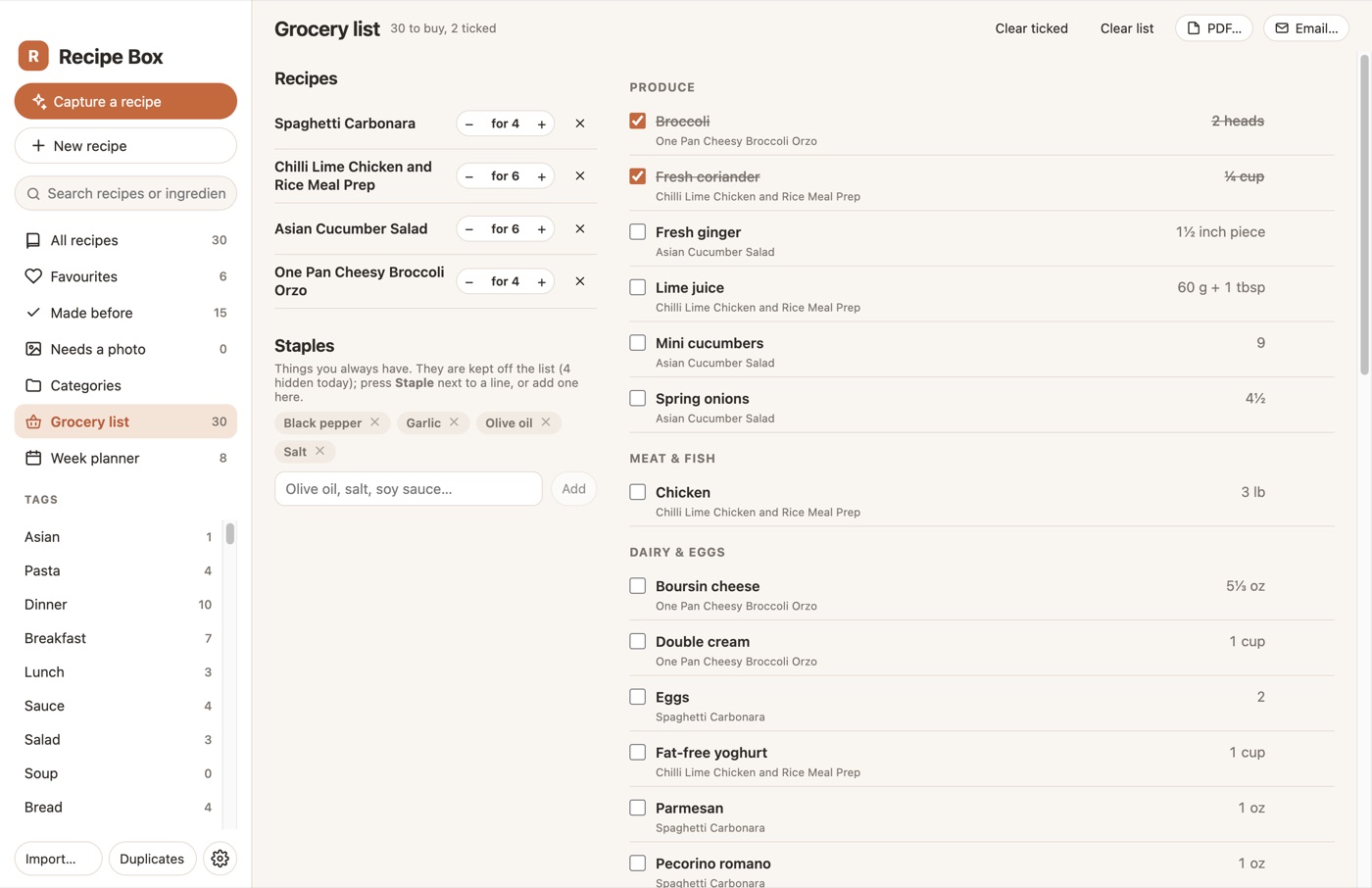
Plan the week from a search box on each day, or press Plan… on a recipe, then send a day or the whole week to the grocery list. It merges the ingredients across recipes, scales them for the servings you set and sorts them into aisles. Staples like olive oil and salt stay off the list until you say you’re out.
Print and share
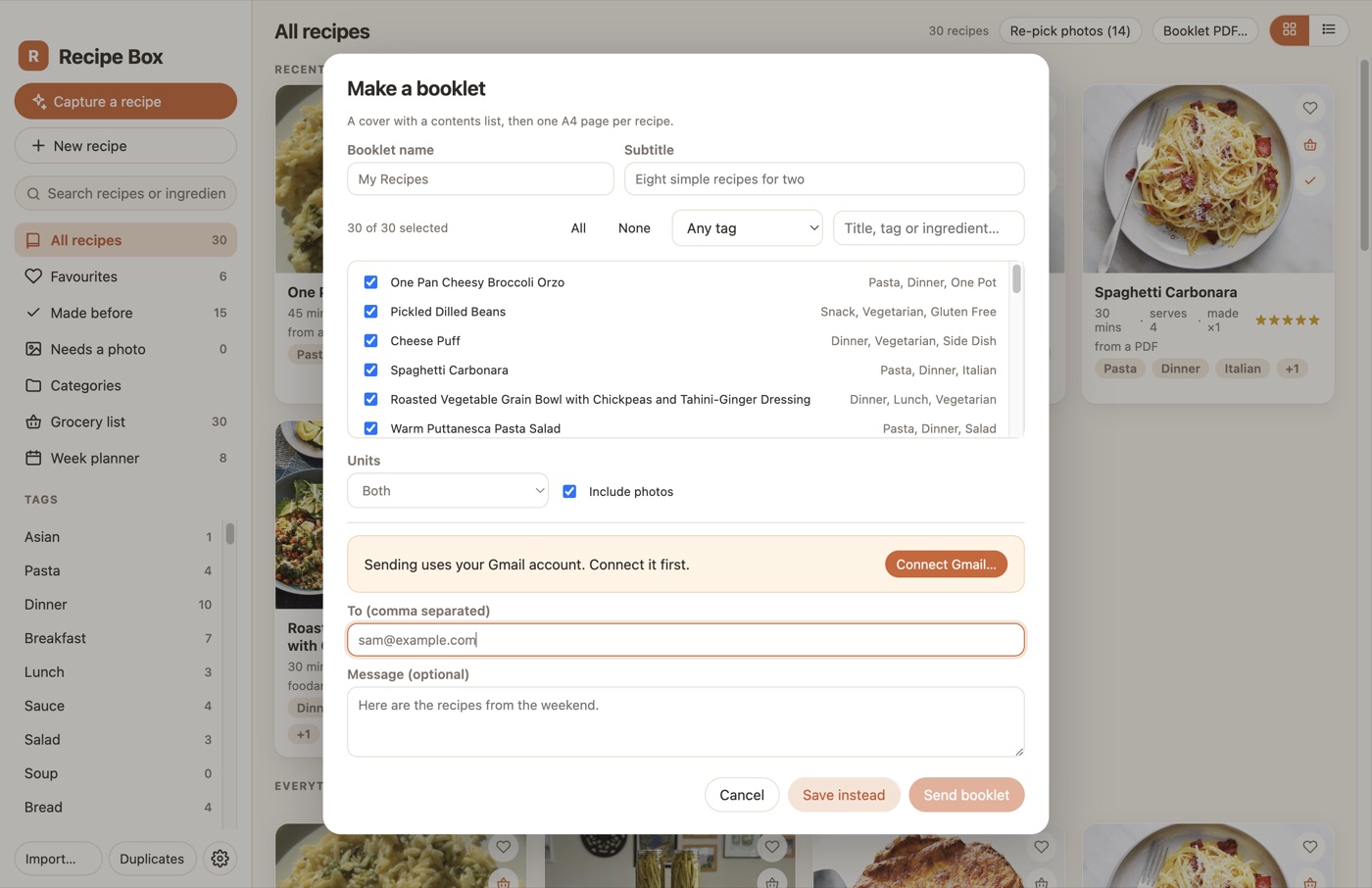
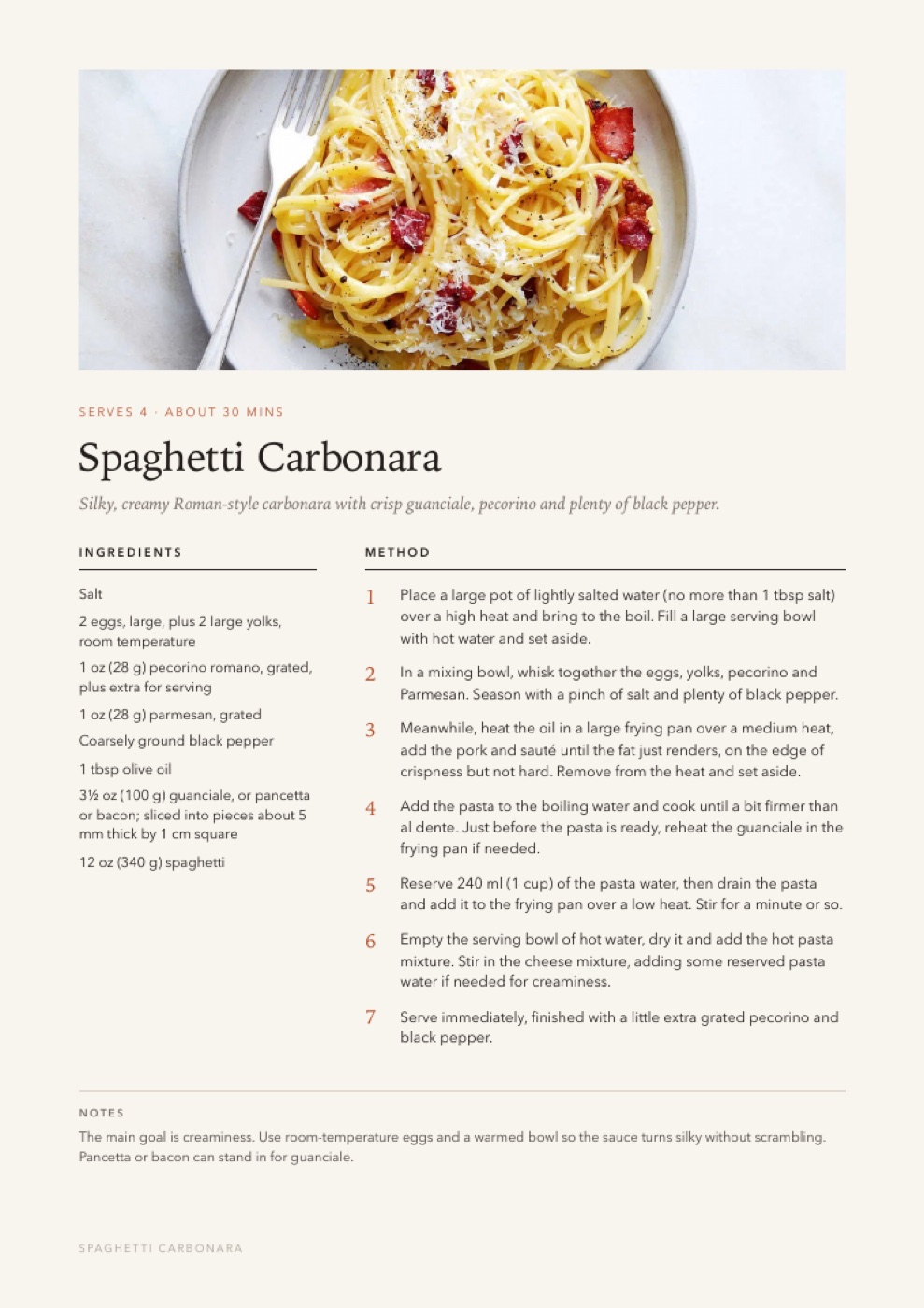
Every recipe exports as an A4 card, and any selection makes a booklet with a cover and a contents page. Cards, lists and whole booklets email straight out of the app through Gmail.
On the phone
This was the main thing for me. The app serves simple web pages on the local network (with an optional PIN), so with it running on a machine that’s always on, and my VPN for when I’m away, my phone has the whole library: search, each recipe with servings scaling and an ingredients tick sheet, tap any “20 minutes” in a step to start a timer, the week plan, and the grocery list to tick off in the shop. From the phone you can email or AirDrop a recipe when you’re out and about. Add it to the home screen and it behaves like an app. Nothing fancy, it’s for looking things up and sharing on the go.


Odds and ends
- Deleted recipes sit in a bin for 30 days in case I change my mind.
- It’s all plain files. No accounts, no subscription, and the only running cost is the Claude API, which works out at pennies per recipe.
- It’s Electron, so it builds for Mac and Windows. The Mac build is signed and notarised.
How it’s built
Electron and React for the desktop app, plain HTML for the phone pages (the app serves them itself), the Claude API with structured outputs for the capture and the asks, and Gmail’s API for sending. I built it with Claude Code in the evenings, mostly by describing what I wanted and then testing it on my own pile of recipes. It wrote the tests too, which drive every screen and took the screenshots in this post. It lives in Perforce with the rest of my tools.


No Comments